New Server Infrastructure for Hospitals & Diagnostic Centers
By Rohit, Founder ·
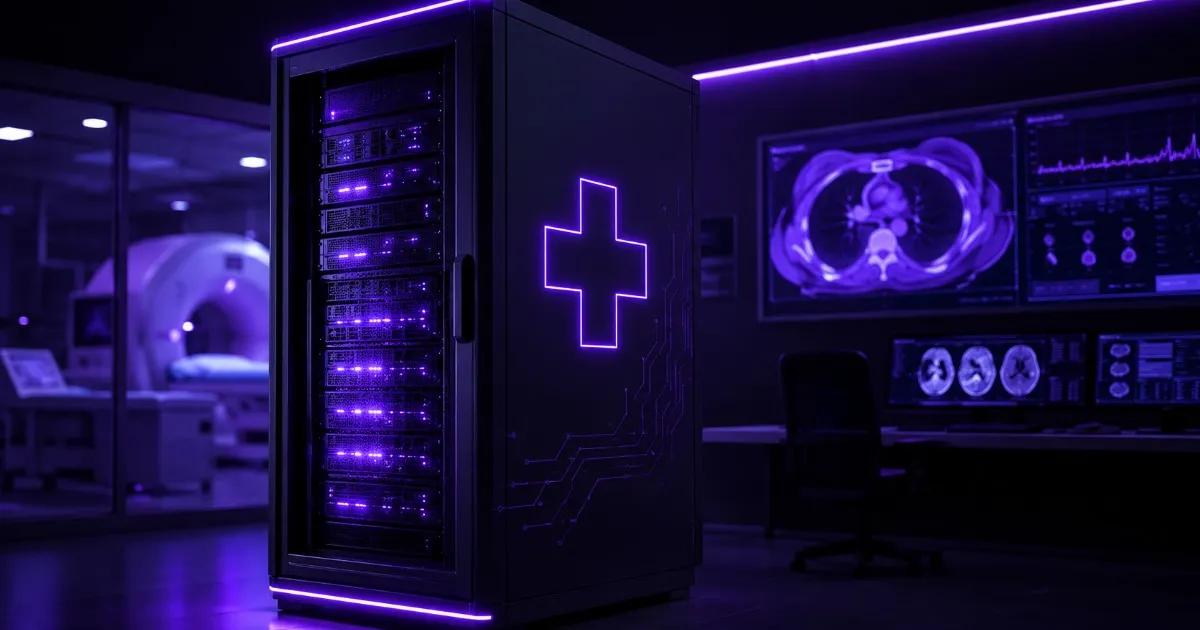
A hospital or diagnostic center's server isn't just IT infrastructure — it's the machine holding patient records, lab results, and diagnostic imaging that a doctor may need at 2 AM during an emergency. That changes the calculus on new versus refurbished hardware compared to a normal office server: uptime, warranty response time, and predictable component life matter more here than almost anywhere else, and it's why most hospitals and diagnostic centers are better served by brand-new, fully warrantied infrastructure for their core clinical systems — even where refurbished hardware would be a perfectly reasonable choice elsewhere in the same building.
Why Healthcare Server Infrastructure Is Different
Three things separate a hospital's core server from a typical office server: (1) the workload never stops — a Hospital Information System (HIS) handling admissions, billing, and prescriptions, or a PACS server storing DICOM imaging from CT/MRI/X-ray, needs to be reachable 24×7, not just during business hours; (2) failure has a direct clinical cost — a slow image retrieval or an inaccessible lab report during a consult isn't an inconvenience, it can delay a diagnosis; and (3) the data itself is sensitive — patient health information is treated as sensitive personal data under India's Digital Personal Data Protection (DPDP) Act, 2023, which raises the bar on how reliably and securely it needs to be stored, not just where it's backed up.
Why New Beats Refurbished for Core Clinical Systems
- Full manufacturer warranty and predictable RMA turnaround — when a HIS/PACS server component fails, a hospital needs a fast, contractually-defined fix, not a search for a compatible used part. A new server's warranty covers this directly.
- No unknown prior duty cycle — refurbished hardware carries an unknown history of how hard it was run before resale; for a system that needs to run continuously for years without surprises, starting with a fresh component-wear clock is a real reliability advantage, not just a marketing point.
- Cleaner audit trail for accreditation and procurement — hospitals pursuing NABH (National Accreditation Board for Hospitals) accreditation or empanelment with insurers/government schemes are typically expected to maintain documented asset records; a new-hardware purchase invoice and warranty registration is simpler to produce during an audit than tracing a refurbished unit's chain of custody. This is a procurement/documentation convenience, not a claim that refurbished hardware fails any specific accreditation clause — check your accreditation body's exact IT asset requirements directly.
- Current firmware and security baseline out of the box — healthcare has become a frequent ransomware target in recent years; new servers ship without years of accumulated firmware/BIOS history to audit, which simplifies (though doesn't replace) getting the security baseline right from day one.
- A multi-year runway that matches your compliance and budget cycle — a new server's full warranty term lines up more predictably with multi-year capital planning than a refurbished unit with a shorter remaining service life.
None of this means refurbished hardware is wrong for a hospital everywhere — a secondary archive server, a test/staging environment, or a non-clinical admin file server can reasonably use tested refurbished hardware from our sister brand Serverwale to control cost, since it isn't sitting between a doctor and a live patient record. The distinction that matters is production clinical systems versus secondary/non-critical systems, not a blanket rule against refurbished hardware everywhere in a hospital's IT stack.
Server Sizing by Facility Type
| Facility type | Core workload | Recommended tier | RAM / Storage | Redundancy |
|---|---|---|---|---|
| Small diagnostic center / single-modality clinic (e.g. X-ray, ultrasound) | RIS + light PACS, billing | Starter–Pro | 32–64GB ECC, 1–2TB NVMe | RAID-1, redundant PSU recommended |
| Multi-specialty hospital (50–150 beds) | HIS + PACS (CT/MRI) + LIS, billing, pharmacy | Pro | 64–128GB ECC, 4–8TB usable | RAID-10, dual PSU, UPS-backed |
| Large hospital / multi-facility diagnostic chain | Consolidated HIS/PACS across locations, high imaging volume | Pro–Ultra | 128–256GB+ ECC, 15TB+ usable | RAID-10/60, dual redundant servers (active-passive), UPS + generator backup |
PACS storage is usually the number that surprises first-time buyers — a single CT or MRI study can run into hundreds of megabytes to a few gigabytes depending on modality and slice count, and retention requirements (often several years, check your state's medical records retention rules and your facility's own policy) compound that fast. Size storage for 3–5 years of imaging volume growth, not just today's patient count, and see our RAID levels guide for how to balance capacity against redundancy for imaging archives specifically.
PACS, HIS and LIS — Should They Share One Server or Run Separately?
For a small diagnostic center with light volume, running RIS/PACS and billing on one adequately-specced server is common and reasonable. Once a facility crosses into a multi-specialty hospital with real imaging volume, it's worth separating PACS (storage/imaging-heavy, needs fast read/write for image retrieval) from HIS/LIS (transaction-heavy, needs consistent uptime for admissions/billing/lab workflows) — a PACS server under heavy image-retrieval load shouldn't be able to slow down a nurse pulling up a patient's admission record. This is the same separation-of-workload logic covered in our workstation vs server guide, applied to two different clinical systems instead of one desk and one server room.
Why Choose ProStation Systems
A hospital or diagnostic center can't treat a server failure the way an office treats one — there's no "we'll fix it next week" option when a PACS server is down and a radiologist can't pull up a scan. ProStation Systems builds every server new, to order, with ECC memory as standard on Pro and Ultra tiers, redundant power supply options, and a 1-year full warranty (extended available) backed by direct support — not a generic off-the-shelf box repurposed for healthcare.
"We needed servers for our hospital management system. ProStation Systems handled everything — consultation, delivery, installation, and even trained our IT staff. Very professional and reliable." — Sunita Patel, Admin, Government Medical College, Gujarat
Every hospital or diagnostic-center order starts with a free consulting call to size HIS/PACS/LIS load correctly instead of selling a generic spec sheet, and you can see full tier details on our server tiers page. For a broader look at how ProStation serves other regulated and uptime-critical sectors, see our healthcare industry page and our new vs refurbished servers guide for the general decision framework this article applies specifically to healthcare.
Frequently Asked Questions
Q1. Is refurbished hardware ever acceptable in a hospital's IT setup?
Yes, for secondary systems — a backup/archive server, a test environment, or a non-clinical admin file server can reasonably use tested refurbished hardware. The recommendation to go new is specifically for production clinical systems like HIS and PACS that sit directly in a patient-care workflow.
Q2. What warranty term should a hospital's core PACS/HIS server carry?
Match it to your capital planning cycle — most hospitals are well served by an extended 3-year warranty (available at additional cost) at minimum on core clinical servers, so hardware support doesn't lapse mid-way through a multi-year budget cycle.
Q3. Does the DPDP Act, 2023 apply to patient data stored on a hospital's own on-premise servers?
The DPDP Act governs how personal data (which includes health data) is processed in India generally, and applies regardless of whether data sits on-premise or in the cloud. This article is general infrastructure guidance, not legal advice — review your specific data-handling and retention obligations with your hospital's compliance or legal team.
Q4. How much PACS storage does a diagnostic center actually need?
It depends on modality mix and volume — a center doing regular CT/MRI generates far more imaging data per study than one doing mostly X-ray or ultrasound. Size for 3–5 years of projected volume plus your retention policy, and plan to scale storage rather than guess a single fixed number upfront.
Q5. Should PACS and HIS run on the same server or separate servers?
For a small clinic with light volume, sharing one server is fine. Once imaging volume and patient load both grow, separating them prevents a busy PACS retrieval load from slowing down day-to-day HIS transactions like admissions and billing.
Q6. Does NABH accreditation require specific server hardware?
NABH accreditation focuses on documented processes, data governance, and business continuity rather than mandating a specific hardware brand or condition. New hardware with a clean purchase and warranty record simply makes the asset-documentation side of an audit easier — confirm exact requirements with your accreditation consultant.
Final Recommendation
Size core clinical systems (HIS, PACS, LIS) on new, fully warrantied hardware first — that's where downtime has a direct patient-care cost — and reserve refurbished hardware for secondary systems like archives, backups, or test environments where cost matters more than a full warranty runway.
Call +91 87962 44410 or book a free consulting call to size your hospital or diagnostic center's server infrastructure around your actual patient volume and imaging load.