CCTV, NVR & VMS Server Sizing: Cameras, Storage & RAID
By Rohit, Founder ·
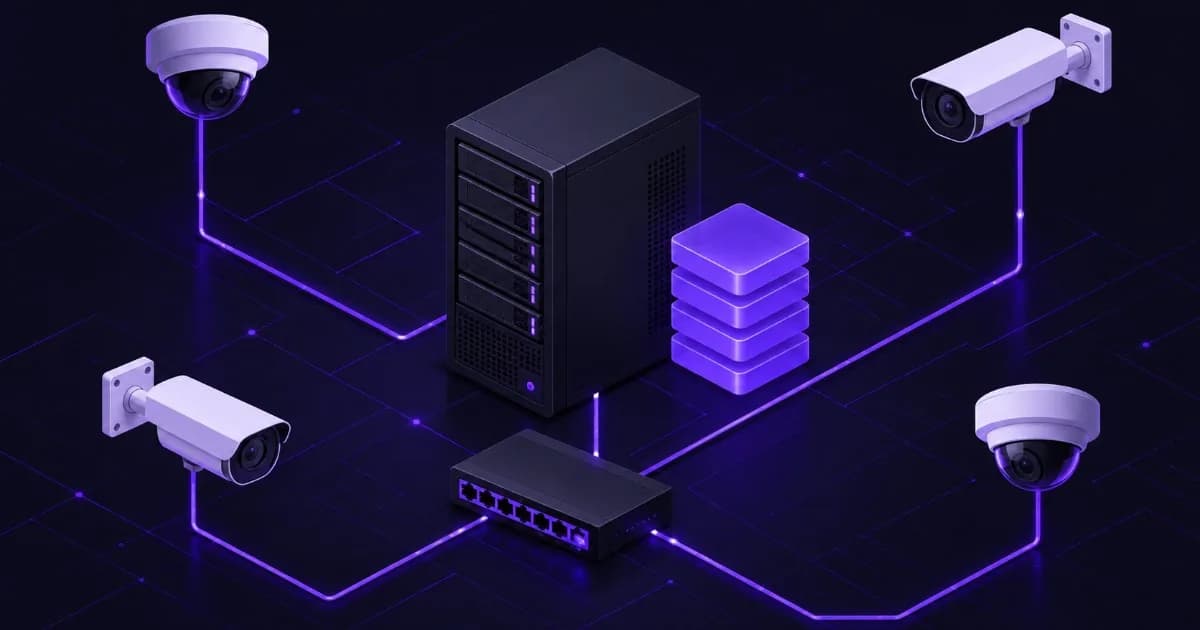
Quick answer: A CCTV server's storage need is camera count x bitrate x retention days. One camera streaming 1 Mbps records 10.8 GB per day (1 Mbps x 86,400 seconds / 8 bits per byte), so 32 cameras at an example 4 Mbps each, recording continuously for 30 days, need about 41.5 TB. Add headroom, then choose the RAID level, drive count, network and CPU or GPU around that figure. Read each camera's real bitrate from its own settings page, because resolution, frame rate, codec and the scene all change it.
This guide is for installers, facility managers, school, hospital and factory IT teams and business owners in India who are deciding between an NVR box and a CCTV server running video management software (VMS), and need to size one. It is a sizing method with worked arithmetic, not a benchmark: ProStation Systems publishes no cameras-per-server or frames-per-second figures, so every number below is either a vendor statement (cited at the end) or arithmetic you can check yourself. Last updated: 24 October 2026.
NVR or CCTV Server: Which One Do You Need?
An NVR (network video recorder) is a purpose-built box that records IP cameras, usually with the vendor's own software, a fixed number of camera channels and a fixed number of drive bays. A CCTV server is a general-purpose server that runs VMS software of your choice, so you choose the CPU, memory, drives, RAID, network cards and operating system. People search for both as "nvr server" and "vms server", and the dividing line is simple:
- An NVR is enough when the site is small, one camera brand is used throughout, and the channel and bay count of the box covers today's needs with a little spare.
- A server is the better fit when you mix camera brands, run more cameras than one box supports, need larger or redundant storage, want to add analytics later, or need to run the VMS alongside other roles such as access control or a file server.
- Several servers are normal at large sites. Milestone's storage documentation says a single XProtect recording server can run more than 500 cameras, but that the sweet spot between performance and cost is typically 200 to 300 cameras per recording server.
If you are still weighing a server against other form factors, see tower server vs rack server and how to choose a server for your business. A server that only stores footage, without a VMS, is closer to a NAS storage server.
How Much Storage Does a CCTV Server Need?
The formula is the same for every vendor's calculator:
Storage (GB) = bitrate (Mbps) x 10.8 x number of cameras x retention days
The 10.8 comes from 1 Mbps = 1,000,000 bits per second x 86,400 seconds per day / 8 bits per byte = 10.8 billion bytes, or 10.8 GB (decimal), per camera per day. If your bitrate is in Kbps, divide by 1,000 first. Missing the divide-by-8 step is the classic mistake and gives an answer eight times too large.
Worked Example: 32 Cameras for 30 Days
The bitrate below is an example input, not a typical value. Replace it with what your cameras actually use.
| Step | Working | Result |
|---|---|---|
| Total stream rate | 32 cameras x 4 Mbps (example) | 128 Mbps |
| Per day | 128 Mbps x 10.8 GB | 1,382.4 GB (about 1.38 TB) |
| 30 days, continuous recording | 1,382.4 GB x 30 | 41,472 GB (about 41.5 TB) |
| With 10% headroom (example allowance) | 41.5 TB x 1.10 | about 45.6 TB usable needed |
The same 32 cameras at the same example bitrate need about 82.9 TB for 60 days and about 124.4 TB for 90 days, because storage scales linearly with retention.
Storage by Camera Count and Bitrate (30 Days, Continuous)
Our arithmetic from the formula above, in decimal terabytes. Pick the bitrate column that matches your cameras, not the resolution name.
| Cameras | 2 Mbps each | 4 Mbps each | 8 Mbps each |
|---|---|---|---|
| 16 | 10.4 TB | 20.7 TB | 41.5 TB |
| 32 | 20.7 TB | 41.5 TB | 82.9 TB |
| 64 | 41.5 TB | 82.9 TB | 165.9 TB |
| 128 | 82.9 TB | 165.9 TB | 331.8 TB |
What Changes the Bitrate?
- Codec. Wikipedia's article on HEVC (H.265) says it can achieve 25% to 50% better data compression than H.264 at the same video quality, a range that depends on the test. Axis says its Zipstream technology cuts bandwidth and storage by 50% or more, without naming a baseline or scene. Treat both as best cases and verify on your own cameras.
- Motion versus continuous recording. The table assumes continuous recording. If you record only on motion, multiply by the fraction of the day that is recorded, but measure it, because busy scenes can record almost all day.
- Scene and frame rate. A busy entrance produces more data than an empty corridor. Take the average bitrate from the camera or VMS after a few days of real footage, and use the peak figure for network sizing.
- Decimal versus binary units. Drive makers use decimal terabytes. An 8 TB drive shows up as about 7.28 TiB in the operating system, so leave room.
Which RAID Level for a CCTV Server?
RAID lets the server keep recording when a drive fails. The common choices (n = number of drives); the RAID 1, 5 and 6 capacity and failure rules are from Wikipedia's article on standard RAID levels, and RAID 10 is the usual mirrored-pairs layout:
| RAID level | Usable capacity | Drive failures survived | Note for CCTV |
|---|---|---|---|
| RAID 1 | One drive's worth (mirror) | n - 1 (in a mirror) | Small systems, or the operating system and database volume |
| RAID 5 | (n - 1) drives, minimum 3 drives | 1 | Most capacity for the money, but a second failure while rebuilding loses the array |
| RAID 6 | (n - 2) drives, minimum 4 drives | 2 | A common choice for large, long-retention arrays |
| RAID 10 | Half the drives | At least 1, up to one per mirror pair | Fast rebuilds, but you pay for twice the raw space |
For the 45.6 TB example above, using 8 TB drives: RAID 6 needs 8 drives (6 x 8 TB = 48 TB usable), RAID 5 needs 7 drives (6 x 8 TB = 48 TB), and RAID 10 needs 12 drives (6 mirrored pairs = 48 TB). Those are nominal sizes, so check the usable space in your operating system and controller. We lean towards RAID 6 for long retention because rebuilding a large array takes a long time and a second drive failure during the rebuild is the risk, but this is our engineering preference and not a vendor rule; third-party surveillance guides differ on where RAID 5 is acceptable.
Two cautions apply to every level. First, Wikipedia is explicit that RAID is not a backup: it does not protect against fire, water or user error, so keep clips that matter, such as incident footage, on a separate copy. Second, Milestone says an exact answer to what storage performance is needed cannot be given, because workloads vary, so ask us or your VMS partner to review the layout. Our RAID levels explained guide covers the trade-offs in more detail, and the NVMe, SAS and SATA guide explains where each drive type fits.
Will the Drives Survive 24x7 Recording?
A recording server writes day and night, which is why surveillance drives exist. Seagate's SkyHawk page describes its drives as built for 24/7 operation, with workloads up to 180 TB per year, a mean time between failures of 1 million hours and support for simultaneous HD streams from up to 64 cameras. Those are vendor ratings for the product family, so read the datasheet of the exact model you buy.
The workload rating is easy to check against your own load. At the example 4 Mbps, one camera writes 43.2 GB a day, or about 15.8 TB a year. If one drive took the whole stream, 180 TB a year would be used up by about 11 cameras at that bitrate. Across an array it spreads out: 32 cameras at 4 Mbps write about 505 TB a year, and on an 8-drive RAID 6 the parity adds roughly one third more (8 drives for 6 drives of data), so about 673 TB a year over 8 drives, or about 84 TB per drive. That is our arithmetic and ignores reads, rebuilds and partial-stripe overhead, but it shows why large camera counts need several drives and not one big one. Our ECC vs non-ECC memory guide explains what ECC memory does on a server that runs around the clock.
What CPU and GPU Does a VMS Server Need?
Recording is mostly storage and network work. The heavy compute is decoding: every live view, playback and motion-detection stream must be decoded. Milestone's August 2025 support document on hardware acceleration says GPUs decode video in hardware while CPUs use general-purpose operations, that XProtect supports CPU decoding, and that using GPUs instead of CPUs is strongly recommended. It supports GPUs from Intel (Quick Sync Video, from version 6) and NVIDIA.
The same document rates each card family for the recording server:
| GPU family | Milestone's rating for the recording server |
|---|---|
| NVIDIA Quadro / RTX A-series (professional) | Recommended |
| NVIDIA data-center cards (Tesla, A, L, B series) | Recommended (suited to motion detection; the card must have a built-in video decoder) |
| NVIDIA GeForce (consumer) | Not recommended |
| Intel Quick Sync Video | Recommended ("a good all-round choice") |
Other points from that document that affect a build: Milestone does not support virtual GPUs (vGPU) of any kind, so a VMS virtual machine needs the card passed through whole; there is no built-in protection against overloading, and the sign of overload is frame loss or video not showing; and it recommends wired networking only and reliable time synchronisation across cameras and servers. Whether a server needs a GPU at all depends on how many streams are viewed or analysed at once, which is why we ask about viewing stations and analytics before quoting. For general balance between CPU and GPU spend, see CPU vs GPU balance.
If you plan AI analytics such as people counting or licence-plate reading, check the analytics vendor's own hardware list first. A ProStation build can include an NVIDIA card (the exact model is confirmed in your quote), but we do not publish analytics-throughput figures.
Network and PoE: Will Your Switches Keep Up?
Add up the stream rates. The cameras in the example table send 4 Mbps x 128 = 512 Mbps in total, which fits a 1 GbE server port. At 8 Mbps x 128 cameras the total is 1,024 Mbps, which is more than one 1 GbE link can carry, so you need a 10 GbE uplink or several links. ProStation lists 1GbE or 10GbE on Starter and 10GbE or 25GbE on Pro, and the 1GbE vs 10GbE vs 25GbE guide explains when the upgrade pays off. Keep camera traffic on its own network or VLAN where you can.
Most IP cameras are powered through the switch. Wikipedia's PoE table lists the standards: IEEE 802.3af gives up to 15.4 W from the switch port and 12.95 W at the camera, 802.3at 30 W and 25.5 W, and 802.3bt Type 3 and Type 4 up to 60 W and 90 W (51 W and 71.3 W at the device). As a ceiling, 32 cameras drawing the full 12.95 W of 802.3af would need about 414 W at the cameras and up to 493 W of switch power budget. Real cameras usually draw less, so read the datasheet, and remember that heaters and infrared lights raise the draw.
Power and UPS for a CCTV Server
A recorder that loses power mid-write can lose or damage recent footage, and a camera network that goes dark records nothing while it is down. Put the server, the PoE switch and the network gear on a UPS, not only the server, because the cameras are powered through the switch. Our UPS sizing guide shows how to size one, and the dual power supply guide explains when a redundant PSU is worth it. The cost of an outage is covered in the cost of server downtime.
Retention, Privacy and Access Control in India
Retention is a business and legal decision, and the server only has to enforce it. Footage in which people can be identified may count as personal data under India's Digital Personal Data Protection Act, 2023. Section 8(5), as reproduced on dpdpa.com, says a Data Fiduciary shall protect personal data in its possession or under its control by taking reasonable security safeguards to prevent personal data breach. Section 8(7) says it shall, unless retention is necessary for compliance with any law, erase personal data when the data principal withdraws consent or as soon as it is reasonable to assume the specified purpose is no longer being served, whichever is earlier. We are not lawyers: ask your legal adviser what applies to your site, and check whether a sector rule sets a minimum retention period.
On the server side, practical controls are: separate administrator accounts per person, no shared passwords, an isolated camera network, regular operating-system and VMS updates, and automatic deletion of footage after the retention period you decide. Choose the storage size from that period, not the other way round.
Which ProStation Build Fits a CCTV Server?
ProStation Systems builds brand-new custom tower servers for many workloads, and a CCTV server is a storage-and-network build with an optional decode GPU. These are the tiers as published on the servers page; storage options on the quote form include NVMe SSD, SATA SSD, HDD and hybrid, and the number of drive bays and the RAID layout are set per build.
| ProStation tier | CPU | ECC DDR4 RAM | Network | GPU | Where it fits a CCTV server |
|---|---|---|---|---|---|
| Starter | Intel Xeon E | 16 to 64 GB | 1GbE / 10GbE | Optional | Small sites with modest camera counts and few viewing stations |
| Pro | Intel Xeon Scalable | 64 to 256 GB | 10GbE / 25GbE | Optional NVIDIA RTX | Mid-size sites, HDD arrays with RAID, more viewing and decoding load |
| Ultra | Dual Intel Xeon Scalable | 256 to 512 GB | 25GbE | NVIDIA RTX / A-series / Tesla | Large sites, several recording roles on one host, heavy analytics |
These are starting points, not camera-count promises. We size the final build from your camera sheet (count, resolution, codec, bitrate), retention days, number of viewing stations and analytics plans, and a ProStation CCTV server can be sized as a storage and backup server with the VMS on top. All tiers use ECC DDR4 memory with Intel Xeon processors, ship in about 4 working days after configuration, and are burn-in tested for 48 hours or more (see how every build is stress-tested). Warranty is one year on hardware, with extended cover available as a paid option; the warranty page has the terms. The operating system can be Ubuntu or Windows Server (ProStation tiers also list VMware and Proxmox), and the Windows Server licensing guide explains cores and CALs if your VMS needs Windows. Milestone's published requirements list Windows Server 2022 as a supported operating system, so check your VMS vendor's page for your version.
Many CCTV sites are small offices, clinics and schools, so also see the small business server guide, the medium business setup guide and servers for enterprises and SMBs; hospitals and diagnostic centres can start with the hospital server guide, and plants with machine and camera data together with the factory edge server guide. If budget is tight, ProStation's sister brand Serverwale has its own CCTV and NVR storage sizing guide for tested refurbished servers, and the new versus refurbished page compares the two routes. We deliver across India, including Delhi NCR (see servers in Delhi NCR), and the custom server cost guide explains what drives a quote, since "cctv server price in India" depends on drive count, RAID, GPU and network more than on the case.
Checklist Before You Order a CCTV Server
- List every camera: count, resolution, codec and the real average bitrate from its settings or the VMS.
- Decide continuous or motion recording and the retention in days, then calculate storage with the formula and add headroom.
- Choose the RAID level and the number of drives from the usable size you need, and plan a separate copy of important clips.
- Pick surveillance-class drives and check their workload rating against the total yearly write.
- Add up the total stream rate and check it against the server's network port and the switch uplinks.
- Check the PoE budget of the switches against the camera datasheets, including heaters and infrared.
- Confirm your VMS vendor's operating system and GPU requirements, and whether you need a decode GPU for viewing stations or analytics.
- Put the server, PoE switch and network gear on a UPS sized for them.
- Set the retention period, access accounts and automatic deletion, and have your legal adviser confirm what applies.
- Ask the supplier to confirm the configuration, warranty and delivery time in writing.
Frequently Asked Questions
Q1. How many cameras can one CCTV server record?
There is no single number, because the limit comes from CPU, memory, disk and network together. Milestone's storage documentation says a single XProtect recording server can run more than 500 cameras with related devices enabled, that the sweet spot between performance and cost is typically 200 to 300 cameras per recording server, and that it is often more cost efficient to run fewer cameras per server. ProStation publishes no per-tier camera benchmarks, so we size from your camera sheet.
Q2. How much storage do 32 cameras need for 30 days?
Storage = bitrate x 10.8 GB per Mbps per day x cameras x days. At an example 4 Mbps per camera, continuous recording, that is 4 x 10.8 x 32 x 30 = 41,472 GB, about 41.5 TB, before headroom and RAID overhead. At 2 Mbps it is about 20.7 TB and at 8 Mbps about 82.9 TB. Use your cameras' real bitrate, not the example.
Q3. Do I need RAID for a CCTV server?
For a recorder that must keep recording through a drive failure, yes. RAID 1 suits small systems, RAID 5 survives one drive failure and RAID 6 survives two, and RAID 10 mirrors drives for faster rebuilds. RAID is not a backup, so keep a separate copy of footage you must preserve.
Q4. Can a CCTV server run AI analytics?
Yes if the hardware matches the analytics software's requirements. A decode or compute GPU is often involved: Milestone rates professional NVIDIA RTX A-series and data-center cards as recommended for the recording server and GeForce as not recommended. ProStation builds can include an NVIDIA card, with the exact model confirmed in your quote, but we do not publish analytics throughput figures, so check your analytics vendor's list.
Q5. Which VMS software works on a custom server?
Any VMS that supports the operating system you install. Milestone's published requirements list Windows Server 2022 for XProtect, and other vendors publish their own lists, so check the version you plan to use. ProStation tiers ship with Ubuntu or Windows Server and can be set up for VMware or Proxmox, though Milestone does not support virtual GPUs.
Q6. What is the price of a CCTV server in India?
ProStation does not publish fixed prices because the build depends on camera count, retention (drive capacity), RAID, whether a GPU is needed and the network speed. Send those details through the configuration form or free consulting and the quote form says you will get a tailored configuration and pricing within 2 hours.
Final Recommendation
Start from the cameras, not the server: write down the count, the real bitrate and the retention days, calculate the storage, then size the RAID, network and decode hardware around it, and add headroom. Choose an NVR for a small single-brand site and a server when you need scale, mixed brands, redundancy or analytics. For a configuration sized to your camera sheet, contact ProStation Systems or call +91 87962 44410 (WhatsApp: wa.me/918796244410) for free consulting; the about page explains how we build and test.
Sources: Milestone, media database performance and recommendations (cameras per recording server, storage performance statement); Milestone technical support document Using hardware acceleration for video playback in XProtect (August 2025: GPU recommendations, no vGPU support, wired network and time synchronisation, overload behaviour); Milestone system requirements (Windows Server 2022 listed); Seagate SkyHawk (180 TB per year workload, 1 million hours MTBF, up to 64 cameras); Axis Zipstream (bandwidth and storage savings of 50% or more); Wikipedia on HEVC, standard RAID levels and Power over Ethernet; the Digital Personal Data Protection Act, 2023, section 8 as reproduced on dpdpa.com (retrieved 24 October 2026). Storage, bandwidth, workload and PoE figures are our arithmetic from these inputs, and example bitrates are illustrations. Vendor ratings and requirements change between releases, so re-check the current pages before purchase.