How to Order a Custom Server: A Buyer's Checklist
By Rohit, Founder ·
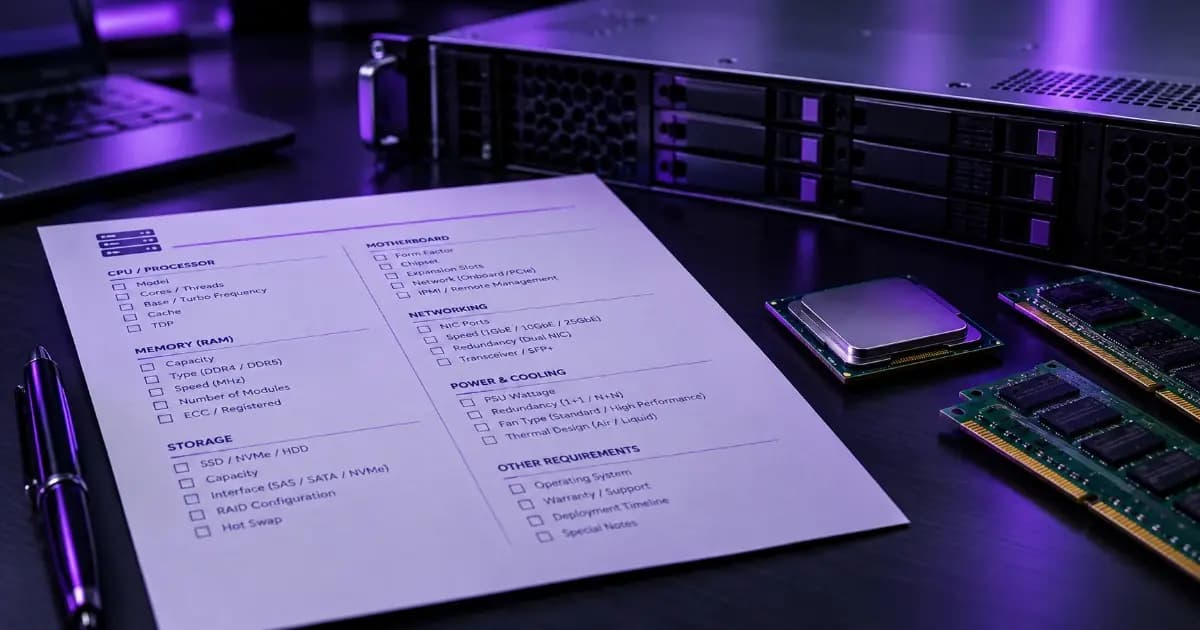
Most first-time buyers walk into a server consultation with one sentence: "I need a fast server." That's not enough for an engineer to recommend the right CPU, RAM or storage — and a vague brief is the single biggest reason a quote comes back either underspecced for the actual job or padded with headroom you didn't need. At ProStation Systems, the free consulting call exists specifically to fill in these gaps before anything is configured, but you'll get a faster, tighter first quote if you walk in with the answers already worked out.
Quick answer: Before you order a custom server, work out seven things: what software/workload will run on it, how many concurrent users it needs to support, how much data you have today and expect in 1–2 years, whether it's for production or dev/testing, your OS preference, a rough budget range, and your delivery timeline. Bring these to your consulting call and the engineer can recommend an exact spec on the same call instead of going back and forth over email.
The checklist: what to work out before you order
None of this needs to be precise — a "roughly 20 users, growing to 40 next year" answer is far more useful to an engineer than no answer at all.
- 1. The actual workload. Not "general use" — name the real application: a specific database engine, an ERP/accounting package, a virtualization hypervisor, an AI/ML framework, a rendering pipeline, or file/backup storage. The workload is what determines CPU core count, whether you need ECC RAM, and whether a GPU belongs in the build at all.
- 2. Concurrent users or connections. A file server for 8 people and one for 80 need very different RAM and storage I/O, even if the software is identical.
- 3. Current data volume and expected growth. How much storage do you use today, and where do you expect to be in 12–24 months? This decides whether you need 1TB or 4TB of NVMe, and whether RAID matters from day one.
- 4. Production, staging, or dev/test. A production server that customers or staff depend on every day justifies redundant PSU and a higher warranty tier. A staging or dev box usually doesn't need the same spend.
- 5. OS and platform preference. Windows Server, a specific Linux distribution, or a hypervisor like Proxmox or VMware — this affects licensing conversations and sometimes hardware compatibility.
- 6. A rough budget range. Not to be talked up to the top of it — a real number lets the engineer tell you honestly what's achievable at that budget versus what would need a higher tier.
- 7. Delivery timeline. Standard builds ship in about 4 working days (consultation → config → burn-in → delivery, covered in full in how every ProStation server is built and tested). If you have a harder deadline, say so upfront — it can affect what's feasible.
Why a vague brief leads to the wrong — or overpriced — spec
An engineer working from "I need a fast server" has to guess, and guessing pushes in one of two directions: either the recommendation is conservative and overspecced to cover every possibility (you pay for headroom you'll never use), or it's a generic mid-tier build that turns out to be wrong for your actual workload once it's running. Neither outcome is good, and both are avoidable with five extra minutes of preparation.
The custom configuration page puts it plainly: free consulting is the starting point, and "the more detail, the tighter the configuration." That's not a sales line — it's how a made-to-order build differs from picking a fixed SKU off a shelf. There's no generic catalogue tier to default to; the spec is built around what you actually tell the engineer.
Match your workload to what matters most
Different workloads make different parts of this checklist critical. A quick reference:
| Workload | What matters most to specify |
|---|---|
| Database / ERP | Concurrent users, transaction volume, uptime requirement (production vs dev) |
| AI/ML training | Model size, GPU requirement, dataset size and growth |
| Virtualization host | Number of VMs, per-VM resource needs, redundancy requirement |
| File / backup storage | Current data volume, growth rate over 1–2 years, RAID preference |
| Rendering / video editing | Software (Blender, DaVinci, After Effects), project resolution, team size |
If your workload doesn't map cleanly to one row — most don't — that's exactly what the consulting call is for. These categories are a starting point, not a form to fill in alone.
What a well-briefed consultation actually saves you
"Their pre-buy consulting saved us from over-spending. They understood our workload and recommended a config that was 30% cheaper than what we were about to order. Deployed in our office without any issues." — Priya Sharma, IT Manager, Fintech Startup, Bengaluru
That 30% wasn't found by negotiating on price — it came from the engineer having enough real detail to recommend a genuinely right-sized build instead of a safely-oversized one. The same conversation works in the other direction too: a buyer who undersells their growth plans can end up needing an upgrade sooner than expected, which is a real (if less costly) version of the same problem. Either way, the fix is the same — bring real numbers, even rough ones, to the call.
Frequently asked questions
Q1. Do I need exact numbers, or are estimates fine?
Estimates are fine, and expected. "Roughly 20 users today, maybe 40 next year" is genuinely useful — an engineer can work with a range far better than with no information at all.
Q2. What if I don't know my OS or platform preference yet?
That's a normal starting point for a first-time buyer. The consulting call can walk through the tradeoffs — it's just faster if you've at least named the application you're running, since that often narrows the OS choice on its own.
Q3. Will sharing a rough budget get me pushed toward spending more?
No — the point of a real budget number is the opposite. It lets the engineer tell you honestly what's realistic at that spend, rather than recommending a build and hoping it fits.
Q4. Can I change the spec after the consulting call?
Yes. You approve the final configuration before assembly starts — nothing is built speculatively. If something changes after the call, that's still the right time to adjust it.
Q5. What happens after I've briefed my requirement and approved a spec?
It moves into the build pipeline — custom configuration, in-house assembly, and a 48-hour burn-in stress test before delivery, usually in about 4 working days. The full process is covered in how every ProStation server is built, stress-tested and delivered.
Q6. Is this checklist different for a small business versus a larger deployment?
The categories are the same, but a small business buyer usually has simpler answers (fewer users, one workload, tighter budget) while a larger deployment needs more detail on redundancy and growth. Either way, the same seven questions apply.
Ready to brief your requirement?
Work through the checklist above, then book a free consulting call or go straight to configure your build with what you already know — the engineer will fill in the rest on the call. Browse server configurations by tier if you want a starting reference point first. Still deciding between CPU platforms? Our Xeon E vs Xeon Scalable comparison can help.