Best PC for Architects: Lumion, D5, Twinmotion, SketchUp
By Rohit, Founder ·
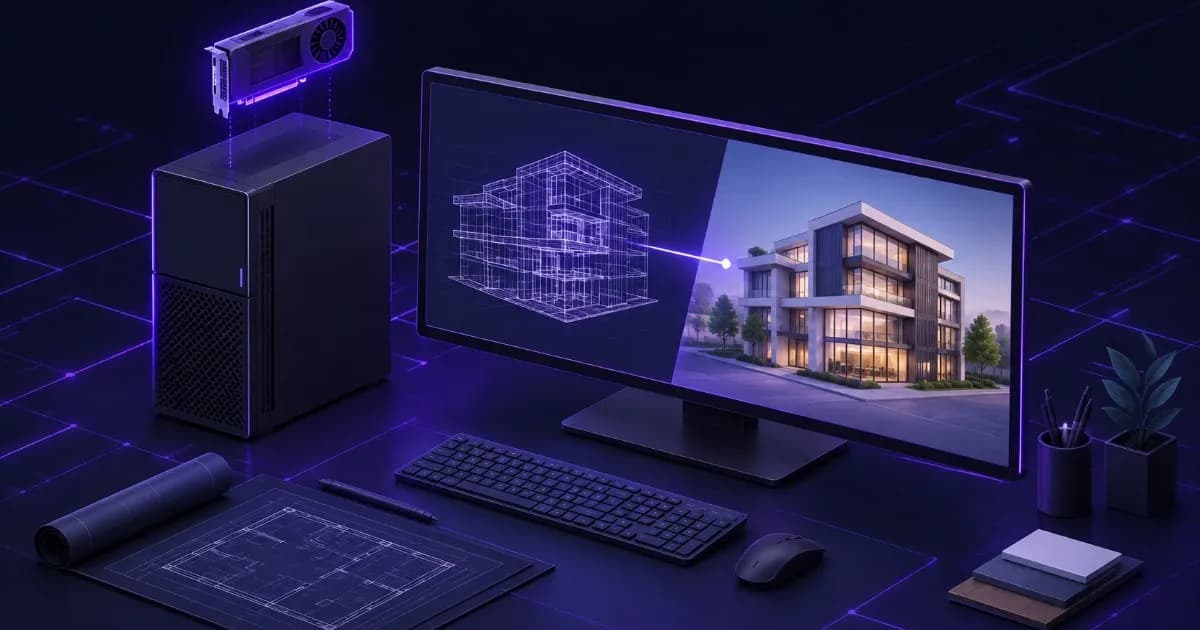
Short answer: for architectural visualization, buy the graphics card and its video memory first, then 32 to 64 GB of RAM, then a fast NVMe drive for the project. Lumion, Twinmotion and D5 Render are GPU-led tools. Each vendor publishes its own requirements, and this guide turns those published numbers into three builds you can order from ProStation Systems. SketchUp is lighter and wants a discrete GPU with 8 GB of video memory for photoreal materials.
This guide is for architects, interior designers and visualization artists searching for the best computer for architecture rendering, best PC for Lumion, best PC for Twinmotion, D5 Render requirements or best PC for SketchUp in India. Revit and BIM modelling has different needs, so we cover it in a separate Revit and BIM workstation guide. Every requirement below was read from the vendor's own page; where a number is our advice, we say so.
What does each architecture tool actually stress?
| Tool | What it leans on | What you notice when it is short |
|---|---|---|
| Lumion Pro | Graphics card and video memory first, then RAM | Slow viewport, tools you cannot switch on, scenes that will not open |
| Twinmotion | VRAM, then RAM and CPU, with more of everything for the path tracer and Lumen | Cannot export 4K video, cannot use Lumen or the path tracer, VR stutters |
| D5 Render | A ray-tracing GPU and its VRAM | Choppy preview, slow final render, crashes when memory runs out |
| SketchUp | Discrete GPU, CPU speed for large models | Laggy orbit and pan on heavy models with photoreal materials |
What do Lumion, Twinmotion, D5 and SketchUp officially require?
These are the published figures, read on 29 October 2026. Always re-check the vendor page before you buy, because requirements change with each release.
| Tool | Graphics | RAM | Other |
|---|---|---|---|
| Lumion Pro (2026): minimum | G3DMark 8,000 or higher, 6 GB or more VRAM | 16 GB or more | CPU single-thread 2,200; SATA SSD or HDD. Lumion calls this configuration suited only to simple projects |
| Lumion Pro: recommended | G3DMark 14,000 or higher, 10 GB or more VRAM. Examples: RTX 3060, RTX 2000 Ada, RX 6700 XT | 32 GB or more | CPU single-thread 2,600; SATA3 SSD or NVMe |
| Lumion Pro: high-end | G3DMark 22,000 or higher, 16 GB or more VRAM. Examples: RTX 3090, RTX A6000, RX 6800 XT | 64 GB or more | CPU single-thread 3,000; SATA3 SSD or NVMe |
| Twinmotion: minimum | 6 GB or more dedicated VRAM, benchmark 10,000 or higher (8 GB recommended for the path tracer) | 16 GB or more | CPU benchmark 2,000; 30 GB free disk. For projects under 1 GB of geometry and data |
| Twinmotion: high-end | 12 GB or more dedicated VRAM, benchmark 20,000 or higher | 64 GB or more | CPU benchmark 2,500; 30 GB free disk. For projects over 1 GB, VR, Lumen and the path tracer |
| D5 Render | Ray-tracing GPU. Minimum GTX 1060, Intel Arc 3 or RX 6400; recommended RTX 3060 (Ti); optimal RTX 3090 | Recommended 32 GB DDR4; optimal 128 GB DDR5 | CPU recommended i5-11400 class, optimal i9-13900K or Ryzen 9 7950X. Windows 10 v1809 or newer |
| SketchUp (2025 to 2027) | Discrete GPU; a modern GPU with at least 8 GB VRAM for PBR textures, ambient occlusion and image-based lighting | At least 8 GB | 2 GHz or faster processor; 6 GB free disk; SketchUp 2027 and later require Windows 11 |
Three details are easy to miss. Twinmotion states that its minimum configuration is not suitable for VR, 4K video export, the path tracer or Lumen. Lumion states that 4K rasterization and 1080p ray tracing need at least 8 GB of graphics memory. And Twinmotion does not officially support Intel Arc graphics, so check the vendor page if you are considering one.
Real-time engines or offline renderers: which do you use?
Lumion, Twinmotion and D5 Render are real-time tools, so you see the scene update as you work and the GPU does most of the work. D5 describes itself as a GPU-based renderer built on DirectX Raytracing. If you also use a CPU-based offline renderer in your pipeline, check that vendor's own page, because those engines usually scale with processor cores and RAM and the best build changes. Our Blender and 3D rendering workstation guide and the render server setup guide explain that side.
How much GPU and VRAM do you need for your project size?
Video memory is the limit you hit first. D5 says VRAM is the priority resource, and that when it runs out Windows borrows about half of your system RAM as shared graphics memory, which is slower because that RAM sits farther from the GPU. The table below combines the vendors' descriptions with our own sizing advice, which is labelled as ours.
| Project size | What the vendor says | Our suggested VRAM class |
|---|---|---|
| Single house, small interior, student work | Lumion minimum and recommended tiers cover simple to complex homes; Twinmotion minimum covers projects under 1 GB | 10 to 12 GB |
| Large home with detailed interiors, a landscape plot, several buildings | Lumion recommended tier lists this; D5 notes a 12 GB RTX 3060 can load a large scene file | 12 to 16 GB |
| Multi-floor building with HD textures, VR walkthroughs, path-traced stills | Twinmotion high-end tier (12 GB or more, 64 GB RAM) | 16 to 24 GB |
| Detailed city, airport, stadium, aerial and urban-planning scenes | Lumion high-end tier (16 GB or more, 64 GB RAM) | 24 to 48 GB |
NVIDIA lists 16 GB of GDDR6 memory with ECC on the RTX A4000, 24 GB on the RTX A5000 and 48 GB on the RTX A6000 (A4000, A5000, A6000), which gives three clear steps for the rows above. Our VRAM guide for rendering explains the same trade-off for other workloads.
CPU and RAM for SketchUp and Lumion scenes
The vendors express CPU needs as benchmark scores rather than model names, so compare the single-thread score of the exact processor in your quote with the number the vendor lists. ProStation Systems builds use Intel Xeon E processors in Starter and Intel Xeon Scalable in Pro and Ultra. We confirm the exact processor in your quote so you can check it against the vendor's figure.
On RAM, the vendors give a clear ladder: 16 GB at the minimum, 32 GB as the recommended level for Lumion and D5, and 64 GB for the high-end tiers of Lumion and Twinmotion. Our advice is to buy 64 GB if you keep Revit, SketchUp, Lumion, Photoshop and a browser open together, because they all compete for memory. D5's optimal level lists DDR5; ProStation Systems builds use ECC DDR4 only, so 128 GB is possible on our platform but not in the DDR5 form D5 lists. Our RAM guide by profession shows how to size it, and the ECC explainer shows what ECC does and does not protect.
Storage and project files
Lumion's full version needs at least 105 GB of free disk space on the drives holding the Windows user account and Documents folder, and it recommends a SATA3 SSD or NVMe drive for its recommended and high-end tiers. Twinmotion asks for 30 GB free and notes that projects on an SSD load and save faster. Our advice: put the operating system and applications on one NVMe drive, keep active projects and asset libraries on a second NVMe drive, and keep finished projects and archives on larger disks that are also backed up elsewhere. Architecture firms lose weeks of work to a single failed disk, so a backup copy is not optional. Our NAS and storage server guide explains a shared project store, and the network speed guide explains why large project files need more than a basic network link.
Which ProStation Systems build fits an architect or studio?
These rows turn the vendor requirements above into configurations within ProStation Systems' Starter, Pro and Ultra tiers. The memory ranges are the tier ranges; the GPU class is our recommendation, and we confirm the exact card in your quote.
| Who it is for | Suggested build | Why |
|---|---|---|
| Student, freelancer or solo architect with small to medium scenes (Starter, GPU added) | Intel Xeon E, 32 to 64 GB ECC DDR4, 1 TB NVMe plus a project drive, NVIDIA GPU with 12 GB or more of VRAM | Meets Lumion's recommended tier on VRAM and RAM, and Twinmotion's minimum with room to grow. The Starter tier lists the GPU as optional, so name it in your request |
| Designer at a studio working on detailed buildings, VR and path-traced stills (Pro) | Intel Xeon Scalable, 64 to 128 GB ECC DDR4, 2 TB NVMe plus a data drive, NVIDIA professional GPU in the 16 to 24 GB class | Meets Twinmotion's high-end tier (12 GB VRAM, 64 GB RAM) and Lumion's high-end VRAM figure |
| Visualization specialist rendering cities, stadiums and large aerial scenes (Pro or Ultra) | Xeon Scalable, 128 GB or more ECC DDR4, 4 TB NVMe, NVIDIA professional GPU in the 24 to 48 GB class | Large scenes are limited by VRAM first and RAM second; this is the headroom class |
Not sure which row fits? Our workstation cost guide explains what drives the price, and the comparison with Dell Precision and HP Z covers when a branded workstation is the better choice. Our CAD and engineering workstation guide and the engineering and CAD industry page cover the neighbouring workloads.
Planning for a multi-seat studio
- One workstation per designer. Size each to the heaviest scene that person opens, not to the average project.
- One shared storage server. It keeps project files in one place with a backup, instead of scattered across desktops.
- A network that can move large files. Large models and texture libraries slow a basic link.
- Power protection. A power cut during a long render or a save costs hours. Read our UPS sizing guide.
- Cooling and noise. Long renders hold the GPU at full load. The thermal throttling guide explains the symptoms, and the quiet workstation guide helps if the machines share a room with people.
Checklist before you buy
- Which tools do you open every day, and which version of each?
- What is the largest scene you have rendered, and did it run out of video memory?
- Does your target meet the vendor's recommended column on the vendor's own page today?
- Is the single-thread CPU score of the quoted processor above the vendor's figure?
- Are the project drive and the backup separate from the operating system drive?
- Does the quote name the exact GPU, RAM, storage, warranty and delivery time?
Why choose ProStation Systems for an architecture workstation?
ProStation Systems builds the machine around your software and your biggest project. You choose the Intel Xeon processor tier, ECC DDR4 memory, NVMe storage and NVIDIA GPU class, and we assemble it in-house and run a burn-in stress test of 48 hours or more before it ships. That matters for visualization, because a single long render exercises the GPU, memory and cooling at the same time. Each build ships brand new with a one-year hardware warranty (extended cover is available at extra cost) and 24/7 support. Read our new versus refurbished guide if you are weighing a tested used machine for a secondary seat.
Frequently Asked Questions
Q1. How much VRAM do I need for Lumion?
Lumion's own requirements page sets the floor by tier: 6 GB or more for the minimum configuration, 10 GB or more for the recommended one and 16 GB or more for the high-end one. It also states that rendering in 4K rasterization and rendering in 1080p ray tracing both need a graphics card with at least 8 GB. Lumion describes its recommended tier as suited to a large home with detailed interiors, and its high-end tier as suited to a detailed city, airport or stadium. For a studio that takes on large scenes, plan on the 16 GB class or higher.
Q2. Is a workstation better than a gaming PC for architects?
Not automatically. The vendors in this guide list consumer cards in their own examples: Lumion names the NVIDIA GeForce RTX 3060 and RTX 3090, and D5 names the RTX 3060 and RTX 3090, so a gaming-class GPU runs these tools. A custom workstation is better when the machine earns money every day and must stay stable through long renders: it offers professional NVIDIA cards with 16, 24 or 48 GB of ECC graphics memory, ECC system memory, server-grade cooling, 48-hour burn-in testing, a hardware warranty and support from one company. If your work is occasional and your projects are small, a well-chosen gaming-class PC can be enough.
Q3. Do I need ECC RAM for architecture work?
No. None of the Lumion, Twinmotion, D5 Render or SketchUp requirement pages lists ECC memory as a requirement. ECC corrects single-bit memory errors, so it adds stability on machines that run long renders, hold large models in memory for hours, or run all day on client work. All ProStation Systems builds use ECC DDR4, so you get it by default, but spend your first rupee on the GPU and VRAM, then on RAM capacity.
Q4. Can I rent render time instead of buying a workstation?
Yes, and for a few renders a year it can make sense. Compare what the service needs from you before you decide: how large the scene upload is, how long the turnaround takes, whether your client's design files can leave your office, and what you do for the modelling and review work that happens before you render. If you render every week, or work on confidential projects, owning the machine usually fits better. Do the arithmetic with your own render count and the quotes you receive.
Q5. What build do I need for a 5-person architecture studio?
Give each designer their own workstation sized to the heaviest scene they open, then add a shared storage server for projects so files are not scattered across five desktops. Keep the render work on the individual machines unless one person does all the visualization. Each workstation should meet the vendor's recommended column for the tools you use, and the studio network should have enough bandwidth for large project files. Our NAS and network guides cover the shared side.
Q6. Does the CPU matter for Lumion, Twinmotion and D5?
It matters, but less than the GPU. Lumion and Twinmotion publish CPU requirements as single-thread benchmark scores (Lumion asks for 2,200, 2,600 and 3,000 across its three tiers, Twinmotion for 2,000 and 2,500). D5 explains that the CPU handles scene loading, material analysis and mesh processing, and the GPU does the rendering. Compare the single-thread score of the exact processor in your quote with the vendor's number before you order.
Get an architecture-ready workstation quote
Tell us which tools you use, the size of your largest scene, how many designers share the studio and whether you present in VR. ProStation Systems will recommend a setup and send an itemised quote, usually within 2 hours of a submitted configuration. Builds ship in about 4 working days after you approve the configuration. Use the customize form, book a free consultation, read the warranty terms, see the video and rendering use case, or call +91 87962 44410.
Sources: Lumion system requirements (Lumion Pro 2026 minimum, recommended and high-end tiers), Epic Games, Hardware and Software Specifications for Twinmotion, D5 Render system requirements (page dated 6 August 2025) and SketchUp hardware and software requirements, all read on 29 October 2026, plus the NVIDIA RTX A4000, A5000 and A6000 product pages for graphics memory. VRAM classes, RAM advice and build tiers are ProStation Systems' own sizing advice, not vendor statements.