Live Broadcast & OB Van Server Setup for Studios and News Channels
By Rohit, Founder ·
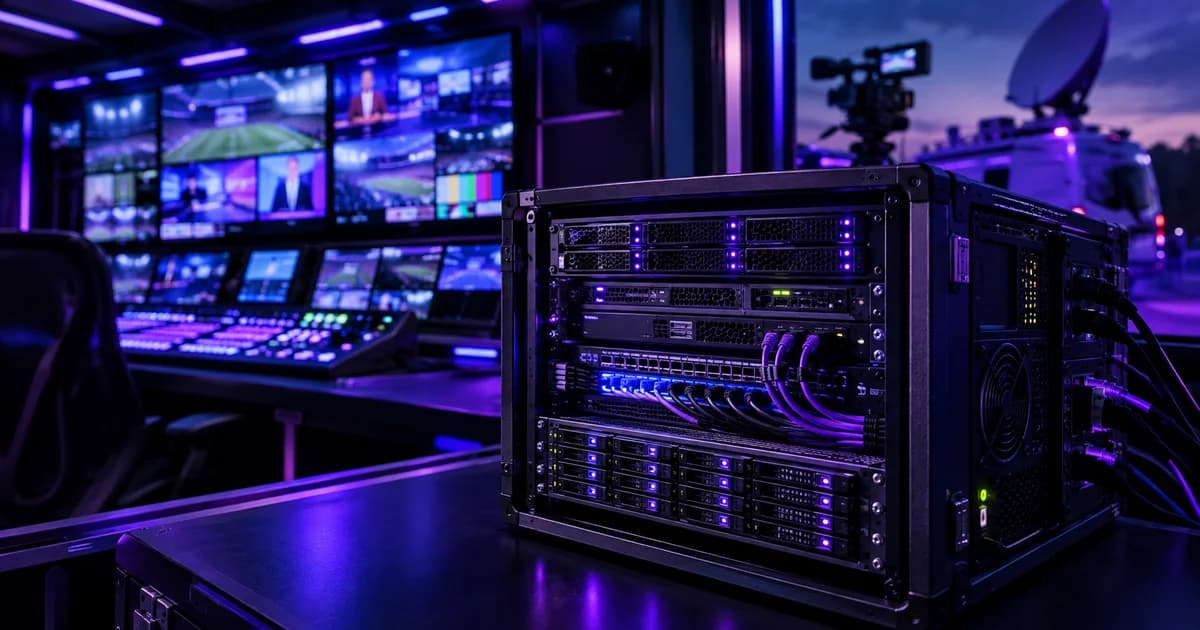
A live broadcast can't buffer, retry, or render again — a dropped frame or a frozen feed goes out to the audience the moment it happens. That single constraint is what separates a broadcast or OB (outside broadcast) van server from every other kind of production machine, including the render nodes used for post-production VFX and editing.
Quick answer: a live broadcast server needs dedicated low-latency capture (SDI/NDI ingest), enough CPU/GPU throughput to encode video in real time without dropping frames, redundant power and storage so a single component failure doesn't take the feed off air, and — for an OB van specifically — a compact, ruggedised build that tolerates unstable vehicle power and vibration during transit. It is a fundamentally different design problem from a render farm, which can always re-render a frame that failed.
Why a Broadcast Server Is Not a Render Server
Studios and VFX houses building render farms and grading workstations (see our Studios & VFX setup guide) optimise for throughput over time — a render queue that takes an extra ten minutes is an inconvenience, not a failure. A live broadcast or news feed has no such slack. Video has to be captured, processed and sent out at exactly the rate the audience is watching it, continuously, for the length of the show.
That difference changes what the hardware has to prioritise:
| Post-production (VFX/render) | Live broadcast / OB van |
|---|---|
| Can queue, retry, or re-render a failed frame | Every frame must go out in real time — no retry |
| Optimises for total throughput over hours/days | Optimises for sustained real-time rate, for the show's duration |
| Storage sized for large finished/working files | Storage sized for continuous ingest + a live edit buffer |
| Runs in a controlled studio environment | Often runs in a moving vehicle or temporary rig (OB van) |
The Core Hardware a Broadcast/OB Setup Needs
Four requirements come up in almost every live-production build, whether it's a studio control room or a van parked outside a stadium:
- Dedicated capture and ingest. Live video comes in over SDI or NDI from cameras, switchers and remote feeds. This needs dedicated capture hardware and enough PCIe bandwidth to move multiple simultaneous video streams without contention from other tasks on the same machine.
- Real-time encoding headroom. Encoding H.264/HEVC for streaming or transmission at the source frame rate is a continuous, non-negotiable CPU/GPU load — there's no "catching up" if the machine falls behind for even a few seconds. We size CPU and GPU with headroom above the minimum, not to the minimum, specifically for this reason.
- A fast, redundant storage path. Multi-camera ingest and instant-replay buffers need NVMe-class write speed, and because there's no retry on a dropped feed, RAID redundancy on that storage isn't optional the way it might be on a file server. See our redundant power supply guide for the same reasoning applied to power — the two go together in any zero-downtime build.
- Networking that matches the stream count. A single 4K feed already uses meaningful bandwidth; a control room ingesting several camera feeds plus a return/monitoring feed needs 10GbE as a baseline, moving to 25GbE for multi-camera 4K work — the same tier logic we lay out in our 1GbE vs 10GbE vs 25GbE guide.
Why Redundancy Matters More Here Than Almost Anywhere Else
A dropped connection on an office file server is an inconvenience someone notices and fixes. A dropped feed during a live broadcast is a failure the audience sees in real time, with no way to undo it. That's why a broadcast-grade build treats redundancy as a baseline requirement rather than an upgrade:
- Redundant power supplies, ideally wired to separate circuits (or, in an OB van, to separate power sources), so a single PSU or power-path failure doesn't take the whole rig down mid-show.
- RAID-protected storage for the live ingest and instant-replay buffer, so a single drive failure during the show doesn't lose the feed or the replay clips.
- Thermal headroom for hours of continuous, unbroken load — a live show doesn't pause the way a render job can be resumed, so the cooling has to be sized for the full duration at full load, not just short bursts. Our guide to thermal throttling covers why undersized cooling shows up exactly under this kind of sustained load.
Because a broadcast rig genuinely cannot go down mid-transmission, we back every ProStation build with real warranty and 24/7 support — Standard covers one year, Extended and Premium tiers add priority response and on-site visits for teams that can't afford a slow support cycle when a show is live that evening.
OB Van-Specific Constraints: Space, Power and Motion
A studio control room and an OB van share the same real-time requirements above, but a van adds three physical constraints a studio build doesn't have to solve for:
- Limited physical space — rack space in a van is fixed and small, which usually means prioritising a compact tower or short-depth rack build over a large multi-bay chassis.
- Vehicle/generator power, not clean mains — power quality on the road or from a generator is less stable than a studio's conditioned mains supply, which makes a good power supply and surge protection more important, not less.
- Vibration during transit — a rig that's assembled once and never moved doesn't need to survive being driven, but an OB van's server does, which affects how drives and components should be mounted and secured.
Because every ProStation server is custom-configured rather than picked off a fixed shelf, an OB van build and a fixed studio control-room build can be specified to their own actual constraints — one lean and compact for a moving vehicle, one denser for a fixed rack — without either compromising on the real-time ingest and redundancy requirements above.
After the Show: What Happens to the Footage
The live ingest and replay storage on the broadcast machine itself should stay fast and lean — it's working storage, not an archive. Once a show wraps, raw footage and proxies typically move off that fast storage to a larger, cheaper archival tier. That archival copy doesn't need the same real-time performance the live rig does, which is exactly the kind of secondary, non-time-critical storage where a tested, warranty-backed refurbished NAS/SAN from our sister brand Serverwale is a genuinely sensible, lower-cost choice — while the live-production machine itself stays brand-new, purpose-built hardware.
Teams working on deadline-critical, real-time-adjacent production work already trust this approach — as Rahul Mehta, CTO of Designify Studios, put it: "We needed a rendering server fast — ProStation delivered in 4 days, exactly as promised. The specs were perfect for our pipeline. Incredible value for brand-new hardware." A broadcast build follows the exact same process: a free consulting call to map ingest, encoding and redundancy needs, then a build that's assembled and stress-tested before it ships — see our server configurations for the tiers most live-production builds start from.
Frequently Asked Questions
Q1. What hardware does a live broadcast server actually need?
Dedicated SDI/NDI capture hardware, enough CPU/GPU headroom for real-time encoding at the source frame rate, RAID-redundant fast storage for ingest and instant replay, and networking sized to the number of simultaneous camera feeds (10GbE minimum, 25GbE for multi-camera 4K work).
Q2. How is an OB van server different from a studio broadcast server?
The real-time and redundancy requirements are identical. An OB van build additionally has to fit a small, fixed rack space, run on less stable vehicle/generator power, and survive vibration during transit — which usually means a more compact, securely-mounted build rather than a large multi-bay chassis.
Q3. Why does redundancy matter more for broadcast than for a normal office server?
Because a live feed can't be retried. A file server that drops a connection just reconnects; a broadcast that drops a feed loses that moment permanently, on air. Redundant power and RAID storage exist specifically to prevent a single component failure from becoming an on-air failure.
Q4. Can the same server handle both live ingest and post-production editing?
It can, but the priorities are different enough that most teams keep them separate — a dedicated, redundant machine for live ingest/encoding, and a separate render/edit machine (see our video production & VFX server guide) for the post-production work that happens after the show.
Q5. What happens to footage after the broadcast?
It typically moves off the live rig's fast working storage to a larger archival tier that doesn't need real-time performance — a good fit for cost-effective, warranty-backed refurbished storage rather than the same brand-new hardware the live rig itself needs.
Q6. How long does it take to get a custom broadcast/OB van server built?
ProStation Systems delivers custom-built servers in about 4 working days from order confirmation — assembled from new components, stress-tested under real load, and backed by warranty and 24/7 support.
Final Recommendation
Size a broadcast or OB van build around the one constraint that actually matters: it cannot go down mid-transmission. That means real-time capture and encoding headroom, redundant power and storage as a baseline rather than an upgrade, and — for a van specifically — a compact build engineered for unstable power and transit vibration, not just picked off a studio parts list.
Call +91 87968 22044 or book a free consulting call to spec a live-production server around your actual ingest, encoding and redundancy requirements.