Redundant Power Supply (Dual PSU) Explained — Do You Actually Need It?
By Rohit, Founder ·
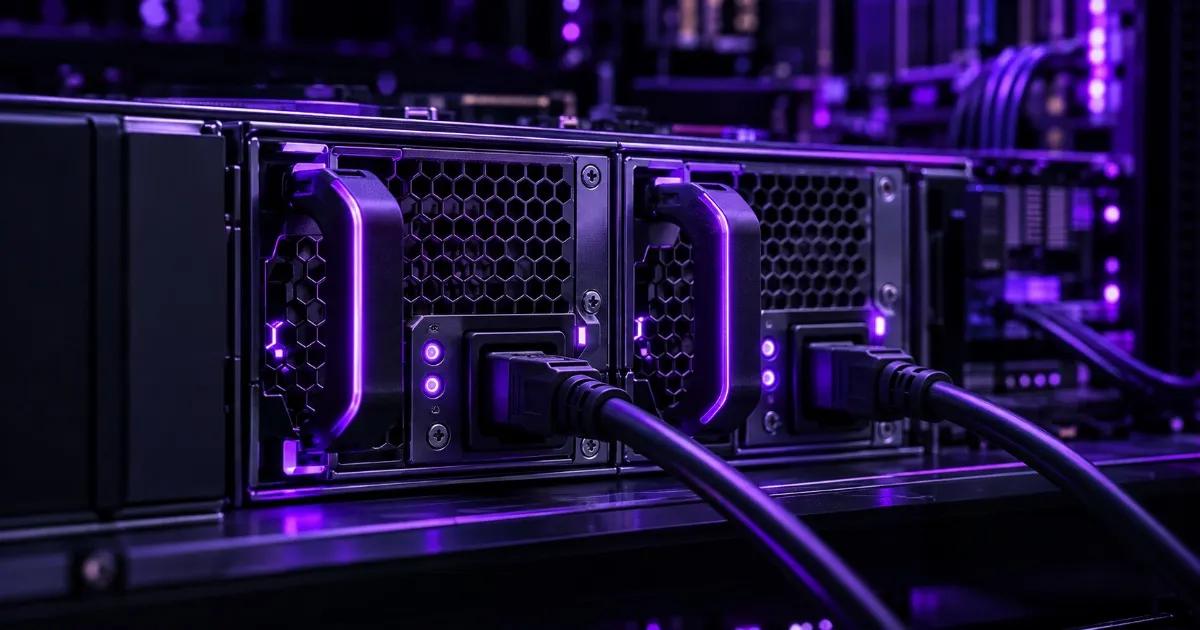
Quick answer: A redundant (dual) power supply means a server has two physical PSUs sharing the load, so if one fails the other instantly keeps the machine running — no downtime, no reboot. It protects against a PSU hardware failure inside the box; it does not protect against a mains power cut, which is what a UPS is for. You need it if the server can't tolerate unplanned downtime — production databases, virtualization hosts, and anything running 24/7 for a business. You can skip it on a single-purpose home lab or dev box where a short outage is a minor inconvenience, not an incident.
Power supply units are one of the most common points of hardware failure in a server that runs continuously — they carry current around the clock, run hot, and contain the capacitors and fans that wear out first. A single-PSU server that loses its power supply goes down immediately, full stop, until someone replaces the part. A dual-PSU server with a failed unit keeps running on the second one, often without anyone noticing until a monitoring alert or a routine check flags the dead unit for replacement. Understanding exactly what that buys you — and what it doesn't — is the difference between spending money on real uptime protection and spending money on a checkbox.
How redundant PSU actually works
A redundant power supply configuration puts two independent PSU modules in one chassis, each capable of powering the entire system on its own. There are two common ways they operate:
- Load-sharing (active-active) — both PSUs are powered on and split the load between them, each running comfortably under its rated capacity. If one fails, the other instantly picks up 100% of the load with zero interruption, since it was already live and synchronized.
- Active-passive (failover) — one PSU carries the full load while the second sits ready as a standby, switching over automatically if the primary fails.
Most modern server-grade redundant PSUs are hot-swappable — a technician can pull the failed unit and slot in a replacement while the server is powered on and serving traffic, because the surviving PSU is carrying the full load throughout. That's the real operational payoff: a failed part becomes a scheduled maintenance task instead of an emergency outage.
What it protects against — and what it doesn't
This is the single most common confusion buyers have, so it's worth being precise about it:
- Redundant PSU protects against: the power supply itself failing — a blown capacitor, a dead fan causing thermal shutdown, an internal short, or normal end-of-life wear. This is a component failure inside the server, and it happens independently of whatever's coming out of the wall.
- Redundant PSU does NOT protect against: a mains power outage, a tripped breaker, or a building-wide electrical fault. If both PSUs lose input power at the same time because the grid went down, redundancy inside the chassis doesn't help — that's exactly what a UPS (and, for longer outages, a generator) is for.
The two protect against different failure modes, which is why a genuinely high-availability setup uses both together — see the section below on wiring dual PSUs to separate power sources.
Do you actually need it? A decision by workload
Not every build needs redundant power, and it isn't a default line item across ProStation Systems' custom server builds — it's a deliberate choice for workloads where downtime has a real cost:
- Skip it: a home lab, a single dev/test box, a personal NAS, or any single-purpose machine where an unplanned reboot costs you a few minutes and no data. The Starter tier configuration (entry Xeon, file/app serving) is the typical fit here.
- Seriously consider it: a virtualization host running multiple production VMs, a database server, or any Pro-tier box where one machine now represents several services' worth of blast radius if it goes down. ProStation's own virtualization builds list redundant PSU as one of the standard "keep it running" options alongside ECC memory and battery-backed RAID cache, precisely because a host consolidating many workloads shouldn't fail silently over one bad component.
- Treat it as close to mandatory: production infrastructure for regulated or uptime-critical sectors — healthcare systems running HMS/EMR/PACS, fintech transaction and database servers, cybersecurity SOC/monitoring hosts, and any Ultra-tier deployment where the machine is the single source of truth for a business-critical process. In each of these, a downed box isn't just an inconvenience — it's lost records, a compliance gap, or a monitoring blind spot at the exact moment it matters.
Dual PSU vs UPS — you likely need both, not one or the other
Because a redundant PSU and a UPS solve different problems, the real high-availability setup wires the two together instead of picking one: connect each of the server's two power supplies to a separate circuit — ideally a separate UPS or at least a separate PDU on each. That way, a single PSU failure is covered by the redundant second unit, and a full circuit or UPS failure is covered by the fact that the other PSU is drawing from an entirely independent source. A dual-PSU server plugged into just one UPS still has a single point of failure — it's a common setup mistake that quietly defeats half the redundancy you paid for. If you haven't sized your UPS yet, our UPS sizing guide walks through the wattage and runtime math for exactly this kind of setup.
What ProStation builds with as standard
Every ProStation Systems build uses 80 PLUS Gold or Platinum certified power supplies with Japanese 105°C-rated capacitors and active power factor correction, sized with real headroom for sustained full-load operation rather than a bare-minimum rating — that's true whether or not the build includes a second PSU. Redundant PSU is offered as a configurable option on Pro and Ultra-tier builds for customers who need it, alongside the other redundancy components — ECC memory, hardware RAID with battery-backed cache, and IPMI out-of-band management — that make up a genuinely fault-tolerant server rather than just a fast one.
Frequently Asked Questions
What is a redundant power supply in a server?
It's a server chassis with two independent PSU modules instead of one, each capable of running the full system alone. If one fails, the other instantly takes over the entire load, so the server keeps running without downtime while the failed unit is replaced.
Does a dual PSU protect against a power outage?
No. A redundant PSU protects against the power supply hardware itself failing inside the server — it does nothing if the mains power to the building goes out, since both PSUs lose input at the same time. Power outages are handled by a UPS and, for longer cuts, a generator.
Can you replace a failed PSU without shutting down the server?
Yes, on a hot-swappable redundant PSU setup. The surviving PSU carries the full load while the failed unit is pulled and a replacement is slotted in, so the swap happens without powering the server down.
Do I need redundant PSU for a home lab or single dev server?
Usually not. If a short unplanned reboot costs you a few minutes and no data, a single PSU on a Starter-tier build is fine. Redundant PSU earns its cost on servers where downtime has a real business or compliance impact.
Should both PSUs be plugged into the same power strip or UPS?
No — that creates a single point of failure that defeats much of the redundancy. For real protection, connect each PSU to a separate circuit or UPS, so a full circuit or UPS failure doesn't take down the server the same way a single PSU failure wouldn't.
Specify it right the first time
Redundant PSU is one part of a bigger reliability picture — the same logic that decides whether you need dual power supplies also decides whether you need ECC memory, RAID with battery-backed cache, and out-of-band management. ProStation Systems builds brand-new, engineer-specced tower servers across the Starter, Pro and Ultra tiers, and can configure redundant power as part of your exact build rather than as a generic add-on. Related reading: our guides on UPS sizing for servers and workstations, RAID levels and redundancy, network speed for servers, and ECC vs non-ECC RAM, plus our virtualization server use-case guide for hosts where uptime matters most. If you're specifying a new server or workstation, configure your build or talk to our team about which redundancy features your workload actually needs.