Entry-Level ML Workstation Roadmap: Students & Freelancers
By Rohit, Founder ·
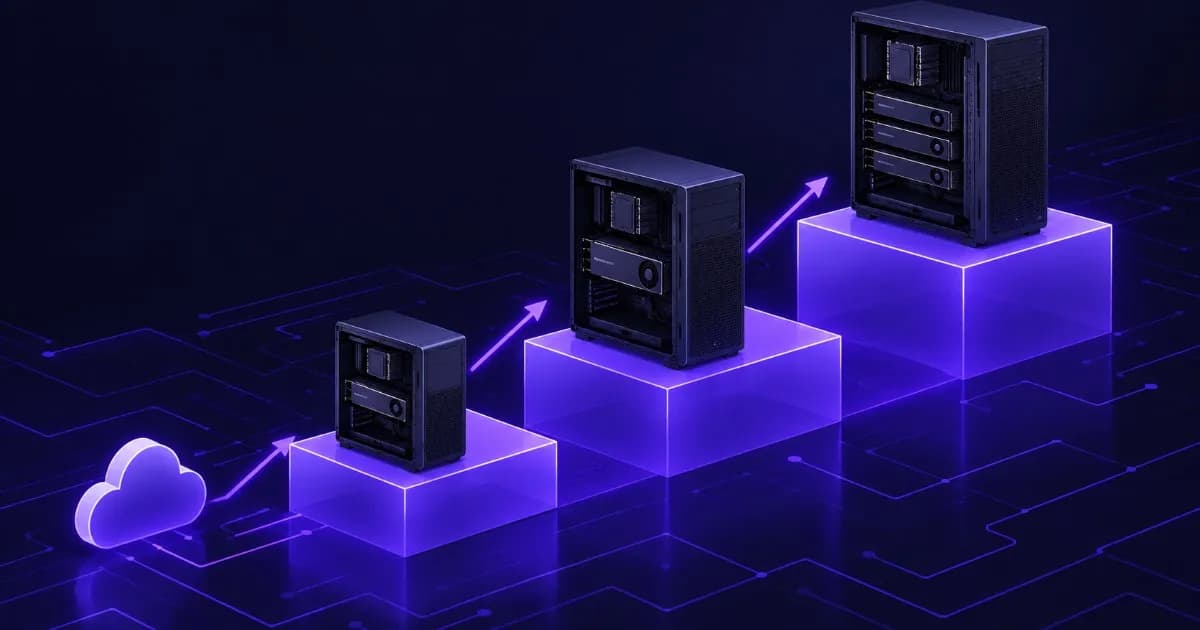
Short answer: do not buy your biggest machine first. Learn on a laptop or a free hosted notebook, buy a single-GPU workstation when limits start costing you time, and choose parts that leave room to grow: a power supply with headroom, free slots and good airflow. This guide is a staged roadmap for students, freelancers and small AI teams in India, with the memory arithmetic that tells you when a GPU is big enough, and an honest section on when renting GPUs is the smarter move. It deliberately prints no rupee prices, because every ProStation Systems build is quoted to a specification.
It is written for people searching for a machine learning workstation, an ML workstation for students or an AI workstation for beginners. ProStation Systems builds custom workstations and tower servers, so we have an interest. We say plainly where you should not buy yet.
What to learn on, and what to buy
You do not need a workstation to start. Small models, tutorials and course exercises run on a laptop CPU or on a hosted notebook. Google's Colab FAQ is direct about the limits of the free tier: resources are not guaranteed and not unlimited, usage limits fluctuate, and access to expensive resources such as GPUs is heavily restricted in the free version. That makes it good for learning and a poor base for a project with a deadline.
A workstation starts to make sense when one of these is true:
- You wait for a free GPU, or lose a session in the middle of a run, more than once a week.
- Your dataset or checkpoints no longer fit comfortably on a laptop drive.
- You train or fine-tune regularly, so a rented GPU would be on your bill most of the month.
- You are working with client data that should not leave your premises.
If none of these apply yet, stay on free or rented compute and save the money for the machine you will actually need.
Start with NVIDIA
PyTorch's install page offers CUDA builds, ROCm builds for AMD GPUs and a CPU build. For a first workstation, an NVIDIA GPU keeps you on the CUDA build that PyTorch lists first, which is the setup our own guides assume, so you spend your time on models instead of driver problems. ProStation Systems specifies NVIDIA RTX and A-series cards in its AI/ML builds for this reason.
The memory math: how big a GPU do you need?
GPU memory (VRAM) is the number that decides which models you can train. Hugging Face's model-memory documentation breaks down what training stores per parameter in mixed precision: 6 bytes for the weights (an fp16 copy plus an fp32 master copy), 8 bytes for Adam optimizer states and 4 bytes for gradients. That is 18 bytes per parameter, before activations. Activations grow with batch size, sequence length and model depth, which is why a model can run out of memory even when its weights fit. The same documentation notes that a quantized Adam optimizer can cut the optimizer states to 2 bytes per parameter.
| Model size | Full training, standard Adam (18 bytes per parameter) | With quantized Adam (12 bytes per parameter) |
|---|---|---|
| 100 million parameters | about 1.8 GB | about 1.2 GB |
| 350 million parameters | about 6.3 GB | about 4.2 GB |
| 1 billion parameters | about 18 GB | about 12 GB |
| 3 billion parameters | about 54 GB | about 36 GB |
| 7 billion parameters | about 126 GB | about 84 GB |
These figures are our own arithmetic from the per-parameter numbers above, excluding activations and framework overhead, so real use is higher. Treat them as a floor.
Two lessons follow. First, a 12 to 16 GB GPU is comfortable for classic machine learning, computer vision and models up to a few hundred million parameters, and it is not enough to fully train a multi-billion-parameter language model. Second, large language models are usually adapted with parameter-efficient methods or only run for inference, which needs far less memory than full training. Our guides to LLM fine-tuning VRAM and RAM and to the best GPU for local LLMs work through those cases with real model sizes.
The staged roadmap
The stages below follow what you need, not how much you want to spend. They use ProStation Systems' published tier ranges and name components, not prices.
| Stage | Who it fits | GPU | System RAM | Storage | Move on when |
|---|---|---|---|---|---|
| 0. Learn | Students, first projects | None, or a free or rented GPU | Whatever your laptop has | Laptop drive | You hit GPU waits or session limits weekly |
| 1. First workstation (ProStation Starter) | Students, freelancers, first models | One entry or mid-range NVIDIA RTX, in the 12 to 16 GB VRAM class | 32 to 64 GB | 1 TB NVMe SSD | Your models or batches no longer fit in VRAM |
| 2. Bigger single GPU (ProStation Pro) | Freelancers with client work, small teams | High-end RTX or NVIDIA A-series, 24 to 48 GB class | 64 to 128 GB ECC | 2 TB NVMe plus extra storage | More than one person needs the GPU at once |
| 3. Multi-GPU (ProStation Ultra) | Small AI teams, production work | A-series or data-centre class, one to four GPUs | 128 to 256 GB or more, ECC | Multiple NVMe drives, RAID or high-capacity storage | One machine becomes a queue: add nodes |
For reference, NVIDIA's product pages list 16 GB of GDDR6 with ECC on the RTX A4000, 24 GB on the RTX A5000 and 48 GB on the RTX A6000, which shows how the VRAM tiers map onto stages 1 and 2. ProStation Systems' AI/ML page lists its Ultra configuration as dual Intel Xeon Scalable processors, 256 to 512 GB of ECC DDR4 memory, 4 TB or more of NVMe storage and one to four GPUs. Prices vary with the market, so request a quote for the exact specification. For team-sized planning, see the startup AI lab hardware roadmap and the guide to a shared GPU workstation.
Rent or buy: when cloud GPUs are smarter
Renting is the better choice when the workload is occasional, when you are unsure what size you need, or when one job needs far more VRAM than you would ever buy. Buying is better when you train regularly, when you work with data that must stay on your premises, or when you want a fixed cost you control.
The simplest honest test uses your own numbers. Estimate the GPU hours you train in a typical month, ask for a cloud or rental quote for those hours, and compare it with a hardware quote spread over the years you expect to use the machine. Our on-prem AI server versus cloud GPU guide works through that comparison. If you want to test a real project on a known GPU first, Serverwale, our sister brand, lists GPU server rental with a one-month minimum period, including OS installation and CUDA setup.
Upgrade-friendly choices
These are the decisions that let a Stage 1 machine grow into Stage 2 without replacing it. Ask for each in the written quote.
- Power supply headroom. NVIDIA lists maximum power of 140 W for the RTX A4000, 230 W for the A5000 and 300 W for the A6000, and 450 W for the GeForce RTX 4090. A power supply sized only for today's GPU forces a replacement when you upgrade.
- PCIe slots and spacing. Confirm how many full-length x16 slots the board has and whether the case and slot spacing can take a second or larger card.
- Memory slots. Fit fewer, larger modules and leave slots free, so you can add RAM instead of replacing it. ProStation builds use ECC DDR4 memory.
- Drive bays and NVMe slots. Keep room for a second NVMe drive and bulk storage for datasets.
- Cooling. Sustained training heats the case for hours. Ask how the airflow is designed, not only which fans are fitted.
Seven beginner mistakes to avoid
- Buying too little VRAM. Work out the model you want to train and use the table above before you choose a card.
- Buying two small GPUs instead of one larger one. In data-parallel training, PyTorch keeps a copy of the model on each GPU, so VRAM does not add up.
- Ignoring system RAM. Data loading and preprocessing run on the CPU side. Too little RAM stalls the GPU.
- Skipping NVMe. A slow drive leaves an expensive GPU waiting for data.
- Sizing the power supply to today's parts. It is the part that most often blocks an upgrade.
- Skipping ECC memory on long runs. ECC corrects single-bit errors, which protects a multi-hour run and its checkpoints.
- Buying before testing the workload. Rent or use a free tier for a trial project, and size the purchase from what you measure.
Three example builds, described by components
| Profile | Components to ask for | Why |
|---|---|---|
| Student with a final-year project | One NVIDIA RTX GPU in the 12 to 16 GB class, 32 to 64 GB RAM, 1 TB NVMe, a power supply with headroom | Covers classic ML and vision work, with room to add RAM or a larger card later |
| Freelancer with client models and private data | High-end RTX or A-series GPU in the 24 to 48 GB class, 64 to 128 GB ECC RAM, 2 TB NVMe plus a data drive | Fits larger models, keeps client data on site and runs long jobs reliably |
| Three-person AI team | Pro or Ultra configuration: multiple GPUs with matching power and cooling, 128 GB or more ECC RAM, fast shared storage | Lets several people train and serve models without queuing. See the shared GPU workstation guide |
Not sure which row fits? Our AI/ML training workstation guide goes component by component, and the workstation cost guide explains what moves the price. If you are comparing new against tested used hardware, see new vs refurbished.
Frequently Asked Questions
Q1. What is the minimum workstation for machine learning?
For learning and small experiments, a laptop or a free hosted notebook is enough, so you do not need to buy anything yet. Buy your first workstation when limits start costing you time. At that point the minimum useful machine has one NVIDIA GPU with 12 to 16 GB of VRAM, 32 to 64 GB of system memory, and a 1 TB NVMe SSD. ProStation Systems publishes its Starter tier at an entry or mid-range RTX GPU, 32 to 64 GB of RAM and 1 TB of NVMe storage.
Q2. Can I upgrade a machine learning workstation later?
Yes, if you plan for it when you buy. The parts that decide upgradeability are the power supply (headroom for a bigger GPU), free PCIe slots with room between them, free memory slots, spare drive bays and case airflow. A machine bought with those left open can take a larger GPU or more RAM. A machine with a tight power supply and every slot filled cannot. Ask for these details in the written quote.
Q3. Is a Xeon good for machine learning?
For most training, the GPU does the heavy computation and the CPU feeds it data, so you do not need the most expensive processor. A server-class Xeon platform is useful for other reasons: it supports ECC memory, which guards long runs against silent memory errors, and it generally offers more memory capacity and PCIe lanes than mainstream desktop chips, which matters once you add GPUs or RAM. ProStation Systems builds with Intel Xeon processors.
Q4. Should I rent GPUs before I buy a workstation?
Often yes, if your workload is occasional or you are not sure what size you need. Free hosted notebooks are fine for learning but their GPUs are not guaranteed. A rental lets you test a real project on a known GPU, so you can size the purchase from evidence. Buy when you train regularly enough that a rented GPU would sit in your monthly bill most weeks. Compare a cloud quote for your real monthly hours against a hardware quote before you decide.
Q5. Do two GPUs give me double the VRAM?
Not in the common setup. In PyTorch's data-parallel training (DistributedDataParallel), each process keeps its own copy of the model, so two 16 GB cards do not behave like one 32 GB card for a model that needs 24 GB. If a model is too large for a single GPU, PyTorch's documentation says you must use model parallelism to split it across GPUs, which takes extra engineering. For a beginner, one larger-VRAM GPU is usually simpler than two smaller ones.
Q6. What if I outgrow my machine?
You have three routes: upgrade it (more RAM, a larger GPU), add a second machine, or rent burst capacity for the biggest jobs. A planned roadmap makes the first route cheaper, because the case, power supply and board already have room. If you are moving from one person to a team, our startup AI lab roadmap guide and shared GPU workstation guide cover the next stage.
Start small, with room to grow
Tell us the models you want to train, the data you have and your timeline, and ProStation Systems will recommend a stage and send an itemised quote, usually within 2 hours of a submitted configuration. Every build ships brand new with a one-year warranty (extended cover available) and 24/7 support. Use the customize form, book a free consultation, see the AI and ML servers page, browse the tower servers, or read the warranty and support terms.
Sources: Google, Colab FAQ (free-tier resource limits); PyTorch, Get Started (CUDA, ROCm and CPU builds) and DistributedDataParallel tutorial (each process keeps its own copy of the model; model parallelism for models too large for one GPU); Hugging Face, Model training anatomy (bytes per parameter for weights, optimizer states and gradients); NVIDIA RTX A4000, RTX A5000, RTX A6000 and GeForce RTX 4090 product pages (memory and maximum power); ProStation Systems website AI/ML, customize and warranty pages (tiers, configurations, quote timing, warranty); Serverwale GPU servers page (rental terms). The memory table is our own arithmetic. No prices are quoted because ProStation Systems builds are priced to specification. Last verified 23 October 2026.