Custom Workstation Cost in India: What Drives the Price
By Rohit, Founder ·
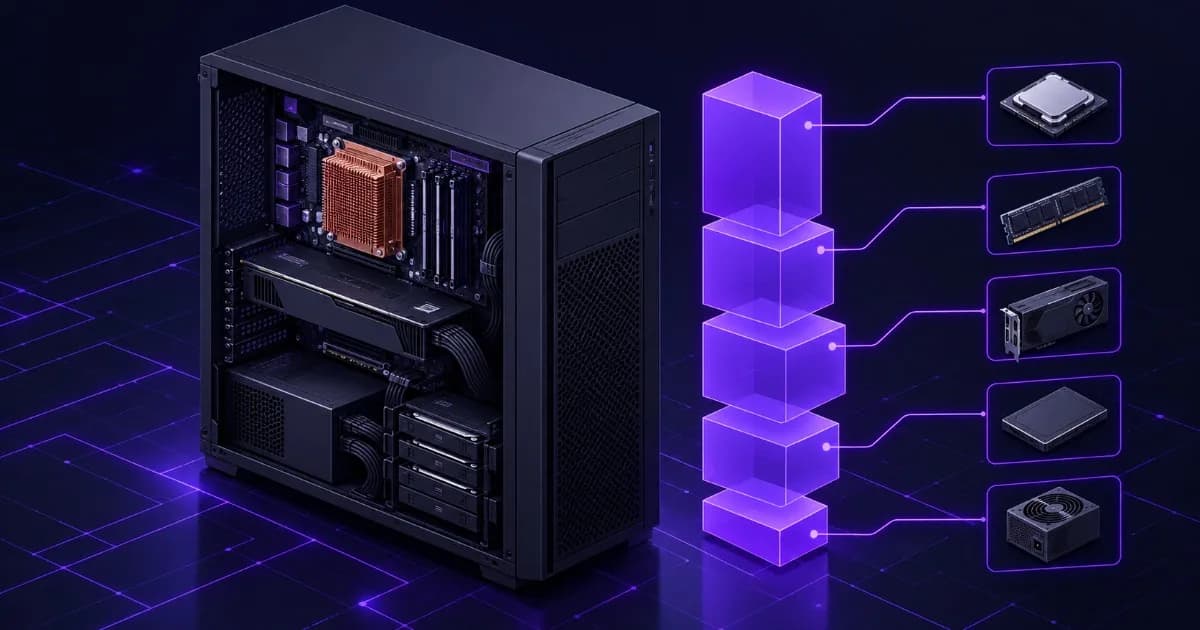
Short answer: a custom workstation has no single price in India, because five parts decide almost all of it: the GPU, memory, processor, storage, and the power and cooling around them. For most professional workloads the order is GPU first, RAM second, CPU third, storage fourth, power supply fifth. This guide ranks those cost drivers, shows what to spend on first for your profession, and gives you a checklist for comparing quotes. It deliberately does not print rupee figures, because every ProStation Systems build is quoted to a specification and prices change with the market.
It is written for engineers, studios, data teams and business buyers searching for workstation price in India, GPU workstation price or how much does a workstation cost. ProStation Systems builds custom workstations and tower servers, so we have an interest here. We say plainly where money is worth spending and where it is not.
Why there is no single workstation price (and how to read a quote)
Two machines both called “workstation” can differ in everything that costs money. A CAD seat needs a fast processor, a mid-range professional GPU and moderate RAM. An AI training box needs large VRAM, a lot of ECC memory and a power supply that can carry several hundred watts of GPU. A video studio machine needs fast NVMe scratch storage. The label is the same and the bill of materials is not.
Read every quote as a list of line items: processor model, memory size and type, GPU model and VRAM, storage, power supply, cooling, operating system, warranty and delivery date. If a quote shows only a total and a vague “high-end workstation”, you cannot tell what you are paying for. ProStation Systems sends an itemised specification with its indicative quote for exactly this reason.
Cost drivers ranked: GPU, RAM, CPU, storage, PSU and cooling
| Rank | Component | Why it moves the price | What to decide |
|---|---|---|---|
| 1 | GPU | Professional cards carry large ECC-protected VRAM. The VRAM tier, not the brand name, sets the cost band. | How much VRAM your largest project needs, and whether your software requires a certified card. |
| 2 | RAM | ECC DDR4 is priced per gigabyte and the capacity you need scales with project size. | Capacity first, then slots left free for later growth. |
| 3 | CPU | Core count, clock speed and platform (Xeon E or Xeon Scalable, single or dual) change both CPU and board cost. | Whether your software uses many cores or one fast core. |
| 4 | Storage | NVMe capacity and endurance, plus RAID if you want protection from a drive failure. | Scratch speed versus archive capacity, and how backups are handled. |
| 5 | Power supply and cooling | PSU wattage and efficiency rating must match the GPU and CPU load; cooling must hold clocks under long jobs. | Headroom for a second GPU and a quiet or always-on duty cycle. |
This ranking is a general guide, not a fixed law. A memory-bound data-analysis job can make RAM the largest line, which is why the next section starts from your workload, not from the parts list.
1. GPU and VRAM
NVIDIA's own product pages show how quickly the memory tier changes the class of card. The RTX A4000 has 16 GB GDDR6 with ECC and a maximum power consumption of 140 W. The RTX A5000 has 24 GB GDDR6 with ECC. The RTX A6000 has 48 GB GDDR6 with ECC and draws up to 300 W. More VRAM means larger scenes, models and datasets fit on the card, and it also means a bigger power and cooling budget. Our guides on how much VRAM AI and rendering need and the best GPU for local LLMs show how to size it from your own workload. If you are weighing GPU against processor spend, read CPU vs GPU balance.
2. ECC memory
ProStation Systems builds use ECC DDR4. ECC detects and corrects common single-bit memory errors, which matters most for long renders, simulations and training runs. It usually costs more than non-ECC memory, and server platforms use it by default. The trade-off is explained in ECC vs non-ECC RAM.
3. Processor and platform
ProStation tiers start at Intel Xeon E (Starter), move to Intel Xeon Scalable (Pro) and go to dual Xeon Scalable (Ultra). A dual-socket board costs more for the second CPU, the board itself and the extra memory slots. Choose dual only if your workload scales across many cores. Software that depends on one fast core often gains little from the second socket. ProStation builds use Xeon only, so a Core i9 or Threadripper is not offered; if your software depends on the highest desktop clock speeds, say so up front.
4. Storage
NVMe drives give fast scratch and project space. Price rises with capacity and endurance, and RAID adds drives. Plan capacity for the working set, not the whole archive, and keep a separate backup. See NVMe, SAS and SATA storage for when each is worth it.
5. Power supply and cooling
The PSU must carry the combined CPU and GPU load with headroom. The 80 PLUS programme certifies power-supply efficiency and publishes ratings from Bronze, Silver and Gold up to Platinum, Titanium and Ruby. A higher tier wastes less energy as heat but costs more. Cooling matters because a workstation that overheats lowers its clocks; why workstations thermal throttle explains the signs. If the machine must stay up through power cuts, add the UPS from our UPS sizing guide to the budget.
What to prioritise by profession
| Profession or workload | Spend first on | Spend second on | Usually safe to hold back on |
|---|---|---|---|
| CAD and engineering design | Fast CPU cores, a suitable pro GPU | ECC RAM for large assemblies | Very large storage |
| Simulation and rendering | Core count and RAM | GPU VRAM, if the renderer uses the GPU | Top-tier display outputs |
| AI and ML | GPU VRAM | System RAM and PSU headroom | Extra CPU cores beyond data loading |
| Video editing and colour | NVMe scratch and RAM | GPU | Second CPU socket |
| Data science and analytics | RAM capacity | Fast NVMe | GPU, unless training models |
| Architecture and BIM | GPU and RAM together | CPU clock | Dual-socket platform |
Software-specific guidance lives in our CAD and engineering workstation guide, the Revit and BIM guide, the 4K and 8K video editing spec guide, the AI and ML training workstation guide and the 3D animation and Blender rendering guide.
Starter, Pro and Ultra: how tier logic keeps the price honest
ProStation Systems lists three configurable starting points. They are a way to size a quote, not a price list.
| Tier | CPU | ECC DDR4 RAM | Storage | GPU | Listed for |
|---|---|---|---|---|---|
| Starter | Intel Xeon E | 16–64 GB | 1 TB NVMe | Optional | Light workloads and small-business use |
| Pro | Intel Xeon Scalable | 64–256 GB | 2 TB NVMe plus HDD options | Optional NVIDIA RTX | Virtualisation, databases, mid-range workloads |
| Ultra | Dual Intel Xeon Scalable | 256–512 GB | 4 TB+ NVMe (RAID) | NVIDIA RTX, A-series or Tesla | AI/ML training, rendering, heavy compute |
Move up a tier only when a specific resource runs out. A workstation that is one tier too high wastes money. One that is a tier too low costs you time on every job.
Where not to overspend
- Cores your software cannot use. Check whether your application scales across threads before paying for a dual-socket board.
- VRAM beyond your largest project. Measure your biggest scene or model first. The guides linked above show how.
- Capacity you can add later. Ask how many memory slots, drive bays and PSU connectors stay free, then buy for today and keep room to grow.
- Display and cosmetic extras that do not change how fast the job finishes.
Equally, do not under-spend on the parts that fail expensively: the PSU, cooling and ECC memory. Downtime has its own cost, covered in our guide to the cost of downtime and warranty.
Warranty and support are part of the cost
A lower price with weak support can cost more over three years than a higher price with fast service. ProStation Systems builds carry a 1-year hardware warranty as standard, and extended cover of 2 or 3 years in total is available at an additional charge. Support is stated as 24/7 through WhatsApp, phone, email and remote tools, with initial remote response within 2 hours. Full terms are on the warranty page. When you compare vendors, include warranty length, who does the on-site repair and what an extension costs as separate lines.
Custom versus branded: compare quotes line by line
| Compare this | What to write down |
|---|---|
| Processor | Exact model, core count, clock speed |
| Memory | Size, ECC or non-ECC, generation, free slots |
| GPU | Exact model, VRAM, certified for your software or not |
| Storage | NVMe or SATA, capacity, RAID, free bays |
| Power and cooling | PSU rating, noise under load |
| Software | OS and any licences as separate lines |
| Warranty | Years of parts, labour and on-site; extension cost |
| Delivery | Committed date in writing |
For the full comparison with Dell Precision and HP Z, including where branded machines are the better choice, read custom-built workstation vs Dell Precision or HP Z. For the server side of the same question, see custom server cost in India and custom-built vs off-the-shelf servers. If you are weighing new against pre-owned hardware, read new vs refurbished servers.
Get a quote from ProStation Systems
ProStation Systems is a brand of Hardik Traders, the company behind Serverwale. Builds use new parts, are assembled in-house in India and burn-in tested for 48 hours or more, and most are delivered in about 4 working days after you confirm the specification (see the build, stress test and delivery process). To get a quote, describe your software, project size and budget on the customize page. An engineer reviews it and sends an itemised, indicative quote, usually within 2 hours. A free pre-purchase consultation is available on the consulting page, and it is open to anyone comparing ProStation with other vendors. You can also browse tower servers and workstations.
Workstation cost checklist
- Name your software and your largest project (scene, dataset, assembly or timeline).
- Find the resource that runs out first: VRAM, RAM, CPU time or disk speed.
- Pick the tier (Starter, Pro, Ultra) that covers that resource.
- Ask for ECC memory, PSU rating and cooling to be named in the quote.
- Check free RAM slots, drive bays and PSU headroom for growth.
- Add the OS, software licences and UPS as separate lines.
- Compare warranty, on-site cover and delivery date, not only the total.
- Ask for the final quote in writing before you pay.
Frequently Asked Questions
Q1. How much does a professional workstation cost in India?
There is no single figure, because the price depends almost entirely on the configuration: processor class, ECC memory size, GPU model and VRAM, storage, power supply and warranty. A workstation for CAD and one for AI training can differ several times over in cost. ProStation Systems quotes every build to your specification and does not publish a fixed price list. Send your software and workload to the customize page and you receive an itemised, indicative quote, usually within 2 hours.
Q2. Why are workstations more expensive than normal desktops?
Workstations use parts built for sustained load and accuracy. ECC memory corrects single-bit errors, workstation GPUs such as NVIDIA's RTX A-series carry ECC-protected VRAM (16 GB on the A4000, 24 GB on the A5000, 48 GB on the A6000), and server-grade boards add features like remote management. Power supplies, cooling and burn-in testing are also sized for long runs. The extra cost buys stability and capacity, not just speed.
Q3. Which single component affects the price most?
For GPU-heavy work such as AI, rendering and simulation, the GPU is usually the largest line, and its VRAM tier is the biggest lever. For memory-heavy work such as large assemblies, data analysis or virtual machines, RAM capacity moves the price most. Check which resource your software actually runs out of first, then spend there. Our guides on VRAM and on CPU versus GPU balance explain how to find it.
Q4. Does a custom workstation quote include Windows or other software?
Do not assume it does. Operating-system licences, software licences and Microsoft CALs, where relevant, are separate from hardware. Ask for each as its own line in the written quote so you can compare it with a branded offer. For server-side licensing rules, see our guide to Windows Server licensing, cores and CALs.
Q5. Does ProStation Systems offer EMI or bulk discounts?
No EMI scheme or bulk discount is published on the ProStation Systems website, so we do not state one here. If you are ordering several workstations, mention the quantity in your request and ask for a written quote that covers the whole order, including warranty and delivery date.
Q6. What affects how fast I receive a quote?
The completeness of your request. ProStation Systems states that an indicative quote usually comes within 2 hours of a submitted configuration. The more precise you are about software, project size, user count and budget limits, the less back-and-forth is needed. Delivery, once you confirm the specification, is stated at about 4 working days for most builds.
Q7. How do I compare a custom quote with a Dell or HP quote?
Write both quotes into the same table: exact CPU model, ECC or non-ECC memory and free slots, GPU model and VRAM, storage type and capacity, PSU rating, warranty length, who performs on-site repair, and the delivery date. Our honest comparison of custom workstations against Dell Precision and HP Z includes the full checklist.
Final Recommendation
Do not shop for a workstation by total price. Shop by the resource your work runs out of, then buy the smallest configuration that clears it with room to grow. For most professional workloads that means GPU or RAM first, a processor matched to how your software uses cores, fast NVMe where files are large, and a power supply and cooling system you can trust. Keep warranty and support in the comparison. If you want a second pair of eyes, send your requirement to ProStation Systems and compare the itemised quote with any other you hold.
Sources: NVIDIA RTX A4000, RTX A5000 and RTX A6000 product pages, India (GPU memory, ECC and maximum power consumption); 80 PLUS programme, certified PSU ratings; ProStation Systems website, customize, warranty and consulting pages (tiers, warranty, support, quote timing, delivery). No prices are quoted because ProStation Systems builds are priced to specification.