Tower Server vs Desktop PC for Small Business (India)
By Rohit, Founder ·
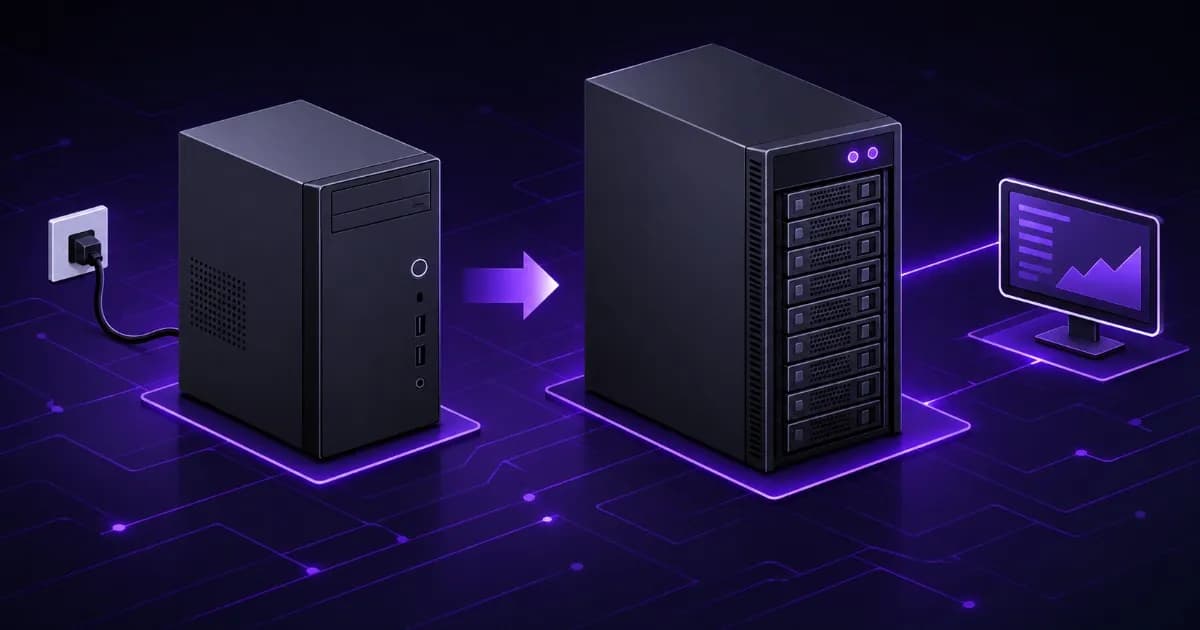
Short answer: a desktop PC can act as a small business server, but it fails in ways a tower server is built to survive. A tower server adds ECC memory, drives rated for round-the-clock use, RAID, redundant power as an option and remote management that works when the operating system does not. A desktop is acceptable only when the work is not critical and you have a tested backup. If staff cannot work while the machine is down, buy the server.
This guide is for owners and office managers searching for tower server vs desktop PC, can I use a PC as a server or small business server tower. It compares the two on facts you can check, shows where the published specifications differ, and says when a desktop is perfectly fine. Sources are linked at the end and were read on 2 November 2026.
Why do so many small offices run on a desktop PC "server"?
It starts with a sensible shortcut. A spare desktop is switched on, a folder is shared, and the accounting software or a shared drive now lives there. It costs nothing extra, it works on day one, and nobody has to learn a new product.
The trouble arrives slowly. More people connect, more files pile up, the machine is never switched off, and the backup is "someone copies the folder on Fridays". The desktop was designed for one person for part of the day. It is now doing a different job without anyone having decided that it should.
What does a tower server add over a desktop PC?
A tower server is a computer built to run all day and to keep running when one part fails. It looks like a large desktop case, but the parts and the management features differ. The table lists the differences that matter to a small business.
| Feature | Typical desktop PC | Tower server | What it means in an office |
|---|---|---|---|
| Memory | Usually non-ECC | ECC memory | ECC detects and corrects single-bit memory errors that a non-ECC module cannot |
| Drives | Desktop drives, often rated for office hours | Drives rated for 24 hours a day | A desktop drive running day and night is outside its published rating |
| Storage protection | One drive, or a software mirror | Hardware or software RAID across several drives | One failed disk does not stop the server |
| Power supply | One | One, or two as a redundant option | With two, either one can carry the load while you replace the other |
| Remote management | Usually none | IPMI or similar management controller | You can see and restart the machine from another computer, even when the operating system has crashed |
| Serviceability | Open the case, power down | Drive bays and parts designed for quick replacement, hot-swap on some builds | Shorter repair time |
| Operating system | Windows 11 or similar client system | Windows Server, Ubuntu Server, Proxmox and others | Licences and limits match the job |
None of these are luxuries. Each one removes a specific way for the office to lose a day. The next sections take the evidence for the four that surprise buyers most.
Does ECC memory matter for a small business?
ECC memory stores extra bits so that the memory controller can detect and correct a flipped bit. Wikipedia describes the usual result as a memory system that is immune to single-bit errors: the data read is the same as the data written, even if one stored bit has flipped. Most non-ECC memory cannot detect such an error, so the outcome ranges from nothing visible to a crash or silently corrupted data.
How often does this happen? Wikipedia summarises a large study of Google's servers, presented at SIGMETRICS in 2009, which found that more than 8% of memory modules were affected by errors in a year. Those are data-centre machines, so do not read the figure as a promise about your office. It does show that memory errors are ordinary events and not freak accidents, and a file server or accounting database is where a corrupted byte is expensive.
ECC is not exclusive to servers, and it is not automatic in a desktop. It needs a processor, a motherboard and a BIOS that all support it. Intel's page for the Xeon E-2388G, an entry-level server processor, lists ECC support, one-socket operation, two memory channels and up to 128 GB of DDR4-3200 memory. Intel also lists ECC for the Core i9-14900K desktop processor, with a footnote telling buyers to check the whole system. We read both pages on 28 October 2026. In practice, buy the processor, the board and the memory as a set that is specified for ECC. Our guide to ECC vs non-ECC RAM in servers goes deeper.
Are desktop hard drives made to run all day?
Often they are not, and the manufacturer says so in the datasheet. Seagate's BarraCuda desktop drive datasheet (March 2026 edition) lists power-on hours of 2,400 per year for every model, a workload rate limit of 55 to 120 TB per year depending on the model, and a 2-year limited warranty. Spread over a year, 2,400 hours is about 6.6 hours a day.
The Seagate Exos X24 product manual, for a data-centre drive, states an annualized failure rate of 0.35% based on 8,760 power-on hours per year, which is 24 hours a day for 365 days, and a maximum rated workload of under 550 TB per year. The manual also warns that workloads above the rated rate may reduce reliability.
A file server that is powered on all day, backs up overnight and answers requests from the whole office runs far more hours than a desktop drive is rated for. Both are real products and both work. They are specified for different duty, and the specification sheet is where you can see which one you are buying.
What does RAID do, and what does it not do?
RAID combines several drives so that data survives the loss of one or more of them, depending on the level. A small office usually chooses a mirror (RAID 1) or RAID 5, 6 or 10 for more drives. The effect is availability: when a drive fails, the server keeps serving files while you replace it. Our RAID levels guide explains each level.
RAID is not a backup. It does nothing for a deleted folder, a ransomware infection, a power surge that damages every drive or a stolen machine. Keep a separate backup, keep one copy off site, and restore a file from it now and then to prove it works. The NAS and storage server guide covers backup targets.
What is remote management, and why does it matter?
Server boards include a small, separate management computer, usually through IPMI. Wikipedia defines IPMI as an autonomous subsystem that provides management and monitoring independently of the host processor, firmware and operating system, and says it can manage a machine that is powered off or unresponsive over a network connection. In practice you open a web page, see that the server is frozen, restart it, and even install an operating system without standing next to it.
For a business with one office and no full-time IT person, this changes a Sunday-night failure. Instead of someone driving in, a technician connects remotely and often fixes the fault from home. A desktop usually offers no such access, so the machine has to be reached physically before anything can be done.
What about the Windows licence on a desktop used as a server?
Windows 11 is a client operating system. The Microsoft licence terms for the OEM version (last updated April 2024) allow you to let up to 20 other devices access the software on the licensed device for file services, print services, internet information services and internet connection sharing, for personal or internal purposes. The same clause gives no right to install the software, or use its primary function, on those other devices.
That is enough for a handful of people. If your office is larger, or the machine will run a database, an application server or remote desktop sessions for staff, read the licence terms for the exact edition you own, or move the workload to Windows Server or Linux on server hardware. Licensing varies by edition and by how you bought it, so confirm with Microsoft or your reseller before relying on a desktop for it.
How much does an outage really cost?
Do not guess an industry figure. Use your own: the cost of downtime is lost revenue per hour, plus the cost of staff who cannot work, plus recovery cost, multiplied by the number of hours the fix takes. Our downtime cost guide shows the arithmetic. Its worked example, which is an illustration and not a statistic, has 10 blocked staff at about 600 rupees an hour each and a 4-hour outage with an 8,000 rupee callout, and comes to 32,000 rupees for one incident.
Put your own numbers into that formula. Then ask the same question about what a failed desktop costs you in time to repair, because a desktop with one power supply, one drive and no remote access can take longer to bring back than a server designed for quick replacement. Repair time is one part of the formula that your choice of hardware changes.
Are tower servers too big or too loud for a small office?
A tower is the server format made for offices. It stands on the floor or in a corner like a desktop tower, so it needs no rack and no server room. Fans in server hardware are built to keep parts cool under constant load, so a server can be louder than a desktop. Place it where the sound does not matter, leave space around the vents, and keep dust out. Our quiet workstation guide covers placement, and the tower vs rack server article explains why tower fits most small offices.
Power also needs a plan. A server that is switched on all day should sit behind a UPS so a mains dip does not cut it off mid-write. See the UPS sizing guide. A redundant power supply protects against a failed supply inside the server, while a UPS protects against mains problems, and the redundant PSU guide explains when you need each.
What does a typical small business tower look like?
These are the Starter tier figures from our servers page, a baseline that you can change part by part: an Intel Xeon E processor, 16 to 64 GB of ECC DDR4 memory, a 1 TB NVMe drive, optional GPU, 1GbE or 10GbE networking, and Ubuntu or Windows Server. For 5 to 15 staff, our small business server guide suggests a Xeon E with 6 to 8 cores and 32 to 64 GB of ECC memory, with NVMe and mirrored hard drives. The small business use-case page has the recommended configuration.
Software shapes the choice more than staff count does. An accounting or ERP package, a shared drive and a backup job make different demands, so list what runs on it. For accounting specifically, see the Tally and ERP server sizing guide.
How do you move from a desktop "server" to a real one?
- List what the desktop does. Shares, printers, software, scheduled tasks, who connects and when.
- Back it up and test the restore. Do this before changing anything.
- Size the new server from that list, with room to grow in memory and drive bays.
- Build and test it. A burn-in run before delivery finds weak parts while they are still under warranty.
- Copy data and permissions to the new server and keep the same share names so users change nothing.
- Run both for a week or two, then retire the desktop as a spare or a workstation.
When is a desktop PC fine?
A desktop is a reasonable choice when all of these are true: only a few people use it, the work is not time-critical, a day of downtime is acceptable, the data is also stored somewhere else, and you have restored from backup at least once to prove it works. A small shop that shares a price list and a printer does not need a server. A business that sends invoices, runs accounts or serves customers from the machine does.
Checklist before you decide
- What would a full day without this machine cost, using your numbers?
- Does the memory support ECC, and do the processor and board support it too?
- Are the drives rated for 24-hour use in their own datasheet?
- Does the machine survive one drive failure, and is there a separate tested backup?
- Can you reach the machine remotely when the operating system is down?
- Is the licence right for the number of users and the software it runs?
- Is the server behind a UPS, and is there a plan for a failed power supply?
- Does the quote name the exact parts, the warranty and the delivery time?
Why choose ProStation Systems for a small business server?
ProStation Systems builds brand-new tower servers around your software and budget. You choose the Intel Xeon processor tier, ECC DDR4 memory, storage, RAID and networking, we assemble it in-house and run a burn-in stress test of 48 hours or more before it ships. Every build comes with a 1-year hardware warranty, and extended cover is available as a paid option on our warranty page.
Frequently Asked Questions
Q1. Can I use a normal PC as a server?
Yes, for a small and forgiving job. Windows 11 will share files and printers, and the licence allows up to 20 other devices to use those features for internal purposes. A desktop PC becomes a poor choice when the business depends on it every day, because it usually has no ECC memory, one power supply, no remote management and drives rated for office hours. If losing it for a day would hurt, buy a server.
Q2. Is a tower server noisy?
It can be louder than a desktop, because server fans are built to keep components cool under constant load. A tower is the format made for offices because it needs no rack, and it can sit in a corner or a ventilated cupboard. Ask where it will stand, not only what the specification says, before you buy. Our guide to quiet workstations for shared offices covers placement and fan behaviour.
Q3. How many users can a Starter tower serve?
It depends on what the users do, so there is no honest single number. Our small business server guide suggests an Intel Xeon E with 6 to 8 cores and 32 to 64 GB of ECC memory for 5 to 15 staff, and the Starter tier on our servers page is listed for small business file servers, basic applications and light workloads. List your software and the number of people who use it at the same time, and we will size it with you.
Q4. Do I need RAID in a small office server?
If the server must keep working when a drive fails, yes. RAID keeps the server running through a disk failure, but it does not protect against deletion, ransomware, fire or theft. You still need a separate backup copy that you have tested by restoring from it.
Q5. Can I run Windows 11 as a server operating system?
You can run it, but it is not designed for the job. The Windows 11 licence terms limit file, print and web services to 20 other devices for personal or internal purposes, and they do not turn the PC into a server product. If the machine will host shared files, accounting software or a database for the whole office, use a server operating system on server-class hardware.
Q6. Can I rent or lease a server instead of buying one?
We do not list a rental or lease plan on our website, so ask us during a free consultation what is possible. Whatever you choose, compare the total cost over three years: the hardware, the warranty or support contract, power, and what an outage costs you.
Get a Starter tower quote for your office
Tell us how many people use the server, which software runs on it and how much downtime you can accept. ProStation Systems will recommend a Starter or Pro build and send an itemised quote. Builds ship in about 4 working days after you approve the configuration. Use the customize form, book a free consultation, or browse the tower server tiers. You can also call or WhatsApp +91 87962 44410.
Sources: Wikipedia, ECC memory (single-bit error behaviour and the field study), Wikipedia, IPMI, Wikipedia, RAID, Wikipedia, Hot swapping, Intel ARK, Xeon E-2388G, Intel ARK, Core i9-14900K, Seagate BarraCuda 3.5 data sheet, Seagate Exos X24 SATA product manual, Microsoft, Windows 11 licence terms (OEM).