Best Workstation for ANSYS, CFD & FEA (India Guide)
By Rohit, Founder ·
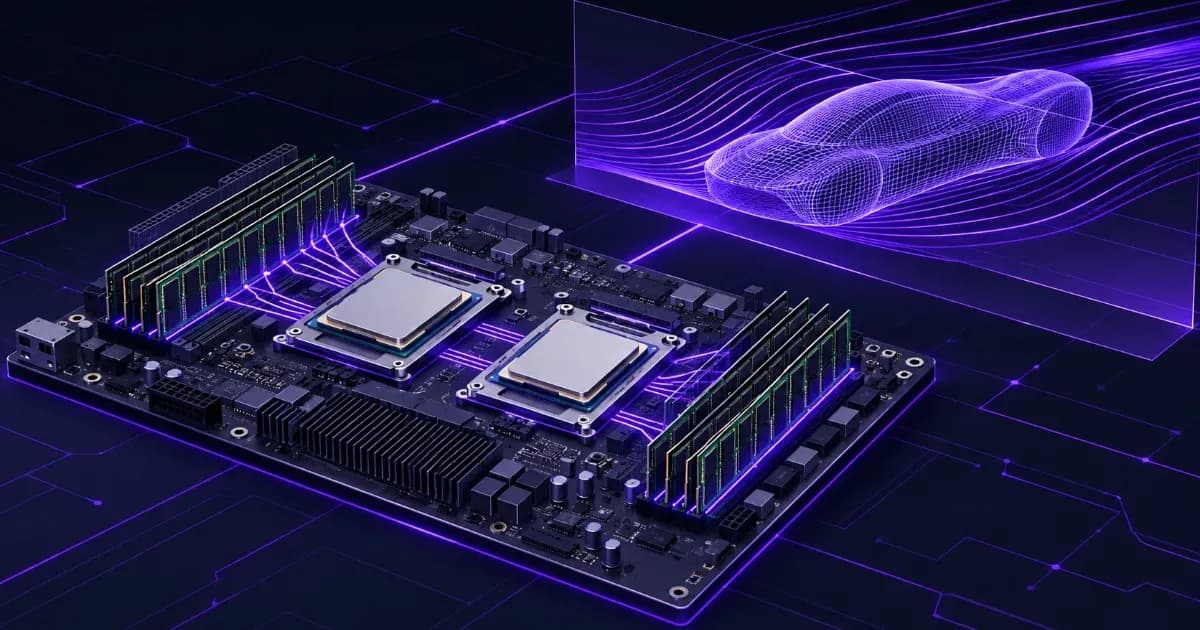
Short answer: spec an ANSYS workstation in this order: memory first, licensed cores second, storage third, GPU only if your solver uses one. Ansys's own documents say that more cores or faster clocks do not always give proportionate speed-ups, because memory bandwidth limits many solvers, and that the cores you can use are capped by your licence. A well-balanced machine has every memory channel populated with ECC DDR4, a core count that matches your HPC licences, and fast local storage for solver files.
This guide is for engineers, researchers and workshop owners searching for best workstation for ANSYS, best computer for CFD simulation or workstation for FEA. It explains what each kind of solver stresses, shows the arithmetic you can do yourself, and says where we could not verify a number. All Ansys documents and Intel pages named here were read on 4 November 2026. Sizing figures are the vendor's, and the builds at the end are our own advice.
What does ANSYS actually stress in a workstation?
Simulation software does four different jobs, and each one leans on different hardware. Spend where your own jobs are slow, not where a spec sheet looks impressive.
| Job | What limits it | What to spend on |
|---|---|---|
| CFD solve (Fluent, CFX) | Memory bandwidth and licensed cores | Populated memory channels, per-core speed, core count that matches licences |
| FEA solve, direct sparse (Mechanical) | RAM capacity, then disk I/O if the model does not fit | Enough ECC RAM to run in-core, fast local SSD scratch |
| FEA solve, iterative (PCG) | Memory bandwidth | Memory channels and per-core speed |
| Meshing, set-up, post-processing | Single-core speed and the graphics card | Strong per-core clocks and a workstation GPU |
This is why a gaming PC with a high core count and two memory slots often disappoints on a big solve. It spends the budget on the part that is not the bottleneck. Our CPU vs GPU balance guide covers the same trade-off for other workloads, and the CAD and engineering workstation guide covers the geometry side that this article leaves out.
Do more CPU cores make ANSYS faster?
Only up to the number of cores your licence lets you use. Ansys's licensing guide (release 2025 R1) says most Ansys applications allow four cores without any HPC licence, and that HPC licences add to that base. Its example is an Ansys CFD Enterprise user running twelve cores, who consumes eight HPC licences. The guide also gives examples of the next step: Fluent on six cores needs the base solver licence plus either an HPC Pack or 2 additional HPC licences, and Mechanical on eight cores needs a pack or 4 additional licences. For packs, Ansys states that 2 HPC Packs enable a total of 36 cores.
Two practical points follow. First, a processor with more cores than your licence allows gives you no extra solver speed for those cores, so do not pay for them. Second, hyperthreading does not add licence-free cores: the guide says a hyperthread core is treated the same as a physical core, and adds that hyperthreading is typically not recommended because the extra threads give little or no speed-up.
Licence terms and pack sizes differ by product and release, and they change. Confirm the exact numbers for your licence with your Ansys reseller before you choose a processor. The point of this section is the method: count your licensed cores, then buy that many good cores, not the most cores.
Why do memory channels matter more than most buyers expect?
A processor can only compute on data that memory delivers. Ansys's Mechanical APDL Performance Guide says that some multicore processors do not have enough memory bandwidth to let all cores run at peak speed at once, which can degrade performance significantly. For some processors it recommends using at most half the cores. It concludes that having more cores or faster clock speeds does not always translate into proportionate speed-ups, and that memory bandwidth is an important hardware issue.
Ansys repeated the point for CFD in July 2026. A blog post about Intel Xeon 6 processors and Fluent states that raw core count does not tell the full story, and that the winning platform pairs high sustained per-core performance with the memory bandwidth to keep those cores fed. In the same post, the Xeon 6980P gave the highest multicore performance on most benchmarks, but some larger models ran better on the 96-core Xeon 6972P, because memory bandwidth per core becomes significant at higher core counts. That platform is newer than the DDR4 Xeon systems we build, but the principle is the same.
You can estimate the effect from public specifications. Intel's ARK pages list the number of memory channels and the memory type for each processor. Peak theoretical bandwidth is the transfer rate times 8 bytes times the number of channels. The table is our arithmetic from Intel's figures, so treat it as a ceiling, not a measurement.
| Example processor (Intel ARK) | Memory | Channels | Peak theoretical bandwidth |
|---|---|---|---|
| Xeon E-2388G (1 socket only) | DDR4-3200, ECC | 2 | 51.2 GB/s |
| Xeon Gold 6248R, 24 cores (1 socket) | DDR4-2933, ECC | 6 | 140.8 GB/s |
| Two Xeon Gold 6248R (dual socket) | DDR4-2933, ECC | 12 | 281.6 GB/s |
Both processors are teaching examples. Intel lists the 6248R as discontinued, and our Xeon naming guide explains how to read the names and tiers. The lesson holds for current parts: a Xeon Scalable processor gives you three times the channels of an entry Xeon E, and a second socket doubles them again. Only channels that hold a memory module deliver bandwidth, so ask for one module per channel at the least, and avoid a quote that fills two slots on a six-channel board.
Should you choose a single or a dual Xeon workstation?
Choose dual when the job is limited by memory bandwidth or memory capacity and your licence lets you use the extra cores. Choose single when your licence caps the cores, when the model fits comfortably in RAM, or when budget matters more than the last stretch of speed.
- Single Xeon Scalable: six DDR4 channels, enough for most single-user FEA and mid-size CFD, and simpler to cool and power.
- Dual Xeon Scalable: twelve channels and twice the RAM capacity. It suits large in-core factorisations and big CFD meshes, but only pays off if you hold enough licensed cores to use them.
- Xeon E: a fit for meshing, set-up and small studies, but its two channels and 128 GB ceiling limit it for large solves.
Our servers page lists the three tiers: Starter on an Intel Xeon E, Pro on Intel Xeon Scalable, and Ultra on dual Intel Xeon Scalable with 256 to 512 GB of ECC DDR4. The custom workstation cost guide explains which parts drive the price.
How much RAM does an ANSYS workstation need?
For finite element analysis, Ansys publishes estimates. In the Mechanical APDL Performance Guide (release 2026 R1), the shared-memory sparse direct solver needs about 10 GB per million degrees of freedom (MDOF) to run in-core, and about 1 GB per million out-of-core. The guide says the matrix factor can take 10 to 20 GB per million DOFs, and that the estimates roughly double for non-symmetric or complex problems. The iterative PCG solver needs about 1 GB per million DOFs.
The guide also tells you not to use nearly all your RAM. It recommends in-core only when the requirement is below 90% of physical memory, and it says out-of-core mode causes a significant degradation in solver performance and scalability. It describes out-of-core as rarely recommended, and says the better answer for a large model is a workstation or server with more RAM. The table applies the 90% rule to the 10 and 20 GB per MDOF figures. It is our arithmetic from Ansys's estimates, for symmetric 3D models and the direct solver.
| Installed ECC RAM | Usable (90%) | Approx. MDOF in-core at 20 GB/MDOF | Approx. MDOF in-core at 10 GB/MDOF |
|---|---|---|---|
| 128 GB | 115 GB | 5.8 | 11.5 |
| 256 GB | 230 GB | 11.5 | 23 |
| 512 GB | 461 GB | 23 | 46 |
For CFD, the numbers are less tidy. Ansys's Fluent GPU buying guide suggests 1.2 GB of GPU memory per million cells for a typical single-precision steady-state SIMPLE model, and says double precision and the coupled solver significantly increase the requirement. That figure applies to GPU memory, not system RAM, and it is case-dependent. We could not find an official Ansys figure for CPU-side Fluent memory per million cells, and we will not invent one. Run a small version of your case, read the memory it reports, scale it to your full mesh and add headroom. Our RAM sizing guide by profession covers the general case.
What storage should you use for solver files?
Use fast local solid-state storage, and keep it separate from the operating system. The Mechanical APDL guide says the sparse solver in out-of-core mode and the Block Lanczos eigensolver commonly do the most I/O. When a job performs a lot of I/O, it states, a slow file system limits scaling, because I/O time does not shrink as you add cores. The guide highly recommends a RAID 0 array of multiple drives for such jobs and suggests considering SSDs, which can have dramatically reduced seek times.
RAID 0 has no redundancy, so one failed drive loses everything on it. Use it only for scratch files that you can regenerate, and keep your models and results on a redundant volume with a separate backup. Our RAID levels guide explains the options and the NVMe, SAS and SATA guide compares drive types. Our Pro and Ultra tiers list NVMe storage, and Ultra lists NVMe in RAID.
Does ANSYS use the GPU?
Some of it does, and the answer depends on the solver. The Fluent native GPU solver runs on NVIDIA GPUs through CUDA. Ansys's Fluent user guide states that you need CUDA 12.8 or newer and driver 570 or newer, with Pascal as the oldest supported architecture. Ansys's buying guide adds that the sum of GPU memory must hold the model, and that each system should have at least as much system memory as the sum of its GPU memory. It also says Fluent is currently not compatible with CUDA 13.x, which shows that driver versions matter, so check before you update.
Licensing changes the picture. Ansys says running Fluent on GPUs needs a CFD Enterprise licence (or CFD HPC Ultimate), and that licensing is based on the number of streaming multiprocessors. The Enterprise licence includes 40, and additional ones need HPC licences. The same guide says Ansys does not test gaming cards, and recommends benchmarking before buying.
For Mechanical APDL, the guide says its GPU accelerator supports only the highest-end cards, because weaker cards cannot beat the latest CPU cores. A mid-range card does not speed up the solve, though a workstation card still helps with the viewport. Applying the 1.2 GB rule gives a rough sense of scale for the Fluent GPU solver, using our arithmetic and the single-precision steady-state case only:
| GPU memory | Example NVIDIA card | Approx. cells at 1.2 GB per million |
|---|---|---|
| 16 GB | RTX A4000 | about 13 million |
| 24 GB | RTX A5000 | about 20 million |
| 48 GB | RTX A6000 | about 40 million |
Double precision or the coupled solver will cut those numbers, so treat them as the top of the range. Our VRAM guide explains how memory size and bandwidth affect GPU workloads in general.
Can you run long simulations overnight safely?
A solve that runs for 12 hours holds every core and memory channel busy for 12 hours, so the machine has to be built for sustained load, not for bursts. Three parts matter. ECC memory detects and corrects single-bit memory errors that non-ECC memory cannot, which is why we use it on every build; our ECC vs non-ECC guide explains the evidence. Cooling keeps clocks up, because a processor that overheats lowers its speed; see why workstations thermal-throttle. Power protection covers mains dips that would end a long run; see the UPS sizing guide.
No hardware removes every risk, so use checkpoint and restart files in your solver set-up. Then a power cut or a licence timeout costs you minutes, not a night.
What do three sample ANSYS builds look like?
These are our suggestions, not Ansys-certified configurations, and we do not claim Ansys certification. Every part can be changed in our customize form, and the ranges below come from the tier figures on our servers page. Treat the RAM numbers as starting points and size them with the arithmetic above.
| Build | Best for | CPU and memory | Storage and GPU |
|---|---|---|---|
| Set-up and small studies (Starter tier) | Meshing, geometry clean-up, small models, light FEA | Intel Xeon E, 16 to 64 GB ECC DDR4 | NVMe SSD; GPU optional |
| Single-socket solver (Pro tier) | Mid-size FEA and CFD with a modest licence core count | Intel Xeon Scalable, one module per memory channel, within 64 to 256 GB ECC DDR4 | NVMe SSD scratch plus HDD for archive; optional NVIDIA RTX |
| Dual-socket solver (Ultra tier) | Large in-core FEA, big CFD meshes, many licensed cores | Dual Intel Xeon Scalable, 256 to 512 GB ECC DDR4, all channels populated | NVMe RAID scratch; NVIDIA RTX, A-series or data-centre GPU for GPU solvers |
If you want to compare with a branded workstation, our custom-built vs Dell Precision and HP Z comparison sets out the trade-offs, and the engineering and CAD industry page shows how we work with design teams.
How do you test a workstation before you buy it?
Ansys itself ends its GPU buying guide with the best advice in this article: benchmark before buying. Nothing beats running your own case. Use this plan.
- Pick one representative case. Use a real model from your work, at full size if possible.
- Record your licence limits. Write down licensed cores and any GPU entitlement.
- Run it on your current machine and note solve time, peak memory and how long the disk is busy.
- Ask for a benchmark run on the proposed build. A supplier that sizes the machine from your numbers is better than one that quotes a core count.
- Check memory population in the quote. It should list the module count, size and speed, and say which slots are filled.
- Check the warranty and the delivery time in writing.
When is a workstation not the right answer?
A single workstation has limits. If a model needs more memory than a dual-socket machine can hold, or you need to run many large jobs at once, a cluster or cloud service is a better fit. Ansys's own guidance makes the same point for sparse solvers: when a model will not fit in memory, run on systems with more RAM or spread the job across more nodes. If you only run a handful of small studies a year, renting time can cost less than owning a machine. Be honest about your workload before you buy.
Why choose ProStation Systems for a simulation workstation?
ProStation Systems builds new workstations and tower servers on Intel Xeon with ECC DDR4. We start from your solver, your mesh size and your licence cores, not from a fixed catalogue, and you choose the processor tier, memory, storage and GPU. Components are imported from manufacturers in China and Taiwan, inspected, assembled in-house in India and run through a burn-in test of 48 hours or more before shipping. Every build carries a 1-year hardware warranty, and extended cover is a paid option on the warranty page. If you are unsure whether you need a workstation or a server, the workstation vs server guide explains the difference.
Frequently Asked Questions
Q1. How much RAM do I need for CFD and FEA in ANSYS?
It depends on the solver and the model, so use the vendor's own figures as a starting point and test your case. For Mechanical APDL's shared-memory sparse direct solver, the Ansys Performance Guide estimates about 10 GB per million degrees of freedom to run in-core and about 1 GB per million out-of-core, and about 1 GB per million for the iterative PCG solver. For Fluent on a GPU, Ansys suggests 1.2 GB of GPU memory per million cells for a typical single-precision steady-state SIMPLE model, and warns that double precision and the coupled solver raise it significantly. Ansys does not publish one CPU-side figure for Fluent that we could verify, so run a small case and scale from the memory it reports.
Q2. Is a dual Xeon workstation better for ANSYS?
Only if your job can use what the second socket adds. A second socket doubles the memory channels and the memory capacity, which helps bandwidth-bound solvers and large in-core factorisations. It does not help if your licence limits the number of cores you can run, because the extra cores sit idle. Match cores to licensed cores first, then choose one or two sockets for memory bandwidth and capacity.
Q3. Does ANSYS use the GPU?
Some solvers do. The Fluent native GPU solver runs on NVIDIA GPUs through CUDA and needs an Ansys licence that covers it. Mechanical APDL has a GPU accelerator, but Ansys's guide says it supports only the highest-end cards, because weaker cards cannot beat the latest CPU cores. Many other solver steps still run on the CPU, so check your specific solver and release before spending on a GPU.
Q4. What is the difference between a workstation and a server for simulation?
A workstation is built for one engineer at a desk, with a graphics card for pre- and post-processing. A server is built to run unattended with remote management and often more memory slots and drive bays. ProStation Systems builds both on Intel Xeon with ECC DDR4, and a tower can serve as either. Our workstation vs server guide covers the differences, and the choice mostly depends on whether one person sits at the machine or several people submit jobs to it.
Q5. Can I run simulations overnight safely?
Yes, if the machine is built for sustained load. Long solves keep every core and memory channel busy for hours, so check cooling, ECC memory, and power protection. ECC memory detects and corrects single-bit memory errors, a UPS covers mains dips, and a burn-in test before delivery shows weak parts early. Also save checkpoints, because no hardware removes the risk of a licence or software interruption.
Q6. Does hyperthreading speed up ANSYS?
Usually not enough to matter. The Ansys licensing guide says a hyperthread core counts the same as a physical core for HPC licensing, and that hyperthreading is typically not recommended because the extra threads give little or no speed-up. The Mechanical APDL performance guide gives the same advice. Disable it, or keep the number of solver processes at or below the physical core count.
Send us your mesh size and licence cores
Tell us the solver you use, your typical mesh or DOF count, and how many cores your licence allows. ProStation Systems will recommend a build and send an itemised quote. Builds ship in about 4 working days after you approve the configuration. Use the customize form, book a free consultation, or compare the workstation and server tiers. You can also call or WhatsApp +91 87962 44410.
Sources: Ansys Licensing Guide, Ansys HPC (release 2025 R1), Ansys Mechanical APDL Performance Guide, Hardware Issues for Scalability, Ansys Performance Guide, Solver Performance Guidelines, Ansys Mechanical APDL Performance Guide, release 2026 R1 (PDF), Ansys Fluent User's Guide, Supported GPUs and Drivers, Ansys Fluent GPU Solver Hardware Buying Guide, Ansys blog, Choosing Intel Xeon 6 Processors for Ansys Fluent Workloads (30 July 2026), Intel ARK, Xeon Gold 6248R and Intel ARK, Xeon E-2388G. Memory-sizing tables and bandwidth figures are our arithmetic from these sources. Check your Ansys release and licence for current limits.