Multi-Monitor Workstation for Trading Desks & Control Rooms
By Rohit, Founder ·
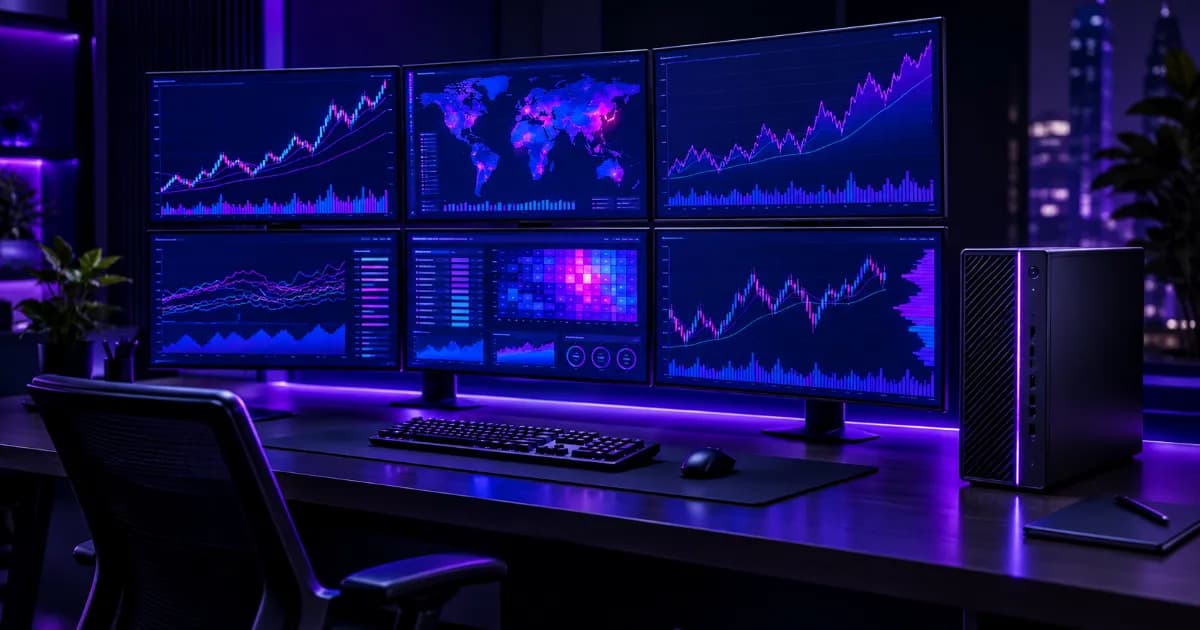
Quick answer: A multi-monitor workstation for a trading desk or control room is decided by its graphics outputs and display bandwidth, not by CPU speed. Count your screens first: a single professional graphics card typically gives you four DisplayPort outputs (the NVIDIA RTX A4000 lists four DisplayPort 1.4a connectors), so six or eight screens usually means two cards. After that, the machine has to stay up all day, which is where ECC memory, a quality power supply, good cooling and a UPS matter more than benchmark scores. Applications such as charting terminals or monitoring dashboards publish their own system requirements, so use those as the floor for RAM and storage.
This guide is for brokers, proprietary and retail trading desks, security operations (SOC) and network operations (NOC) teams, and plant or facility control rooms in India that need many screens on one computer and cannot afford that computer to fail. It is about the hardware logic — outputs, cables, bandwidth, reliability — rather than any trading platform. For the compute side of monitoring and SIEM workloads, see our SOC and pentesting server guide.
What Decides How Many Monitors a PC Can Run?
Every graphics card has a fixed number of physical display outputs and a vendor-stated maximum number of displays it can drive at once. Neither number depends on how fast your processor is. That is why a very fast desktop can still be stuck at three screens, while a modest machine with the right card runs four.
| Graphics card | Display outputs | Vendor-stated display support |
|---|---|---|
| NVIDIA GeForce RTX 4090 | 3 × DisplayPort 1.4a + 1 × HDMI 2.1 | Up to 4 displays |
| NVIDIA RTX A2000 12GB | 4 × mini DisplayPort 1.4a | 4 × 4096×2160 at 120 Hz, 4 × 5120×2880 at 60 Hz, or 2 × 7680×4320 at 60 Hz |
| NVIDIA RTX A4000 | 4 × DisplayPort 1.4a | Same maximum simultaneous display modes as the A2000 |
These figures come from NVIDIA's documentation and a Lenovo Press specification listing (see sources below). Lenovo's listing notes the RTX A2000 was withdrawn from marketing in April 2025, so treat it here as an example of what a four-output professional card looks like, not as a current buying recommendation. Which exact card goes into your build is confirmed at configuration time.
The simple rule for counting outputs
Physical screens must not exceed physical outputs on the cards you install. If you need five or more screens, plan for a second graphics card (or a card and an output arrangement you have verified) rather than hoping adapters will stretch one card. Also check each monitor's input type: a card with four DisplayPort outputs and four HDMI-only monitors needs adapters, which is one more point of failure on a desk that must not go dark.
DisplayPort, HDMI or Daisy-Chaining: Bandwidth Is the Hidden Limit
Every cable carries a limited amount of video data, and that limit decides what resolution and refresh rate each screen can run.
| Connection | Published bandwidth | What it means for a desk |
|---|---|---|
| DisplayPort 1.4 | 32.4 Gbps total, about 25.92 Gbps of usable data | Comfortable for a 4K 60 Hz monitor per port, with room for higher refresh rates |
| HDMI 2.0 | 18 Gbps total; a 4K 60 Hz signal uses roughly 14.4 Gbps | Fine for one 4K 60 Hz screen; less headroom than DisplayPort 1.4 |
| DisplayPort 1.2 (MST daisy-chain) | 21.6 Gbps raw, about 17.28 Gbps usable, shared across the chain | Several lower-resolution screens can share one link; high-resolution screens will not |
DisplayPort's Multi-Stream Transport (MST), introduced with DisplayPort 1.2, lets one port drive several daisy-chained monitors, but it does not create extra bandwidth: the chain shares one link. Every monitor in the chain needs a DisplayPort 1.2 or newer input, and every monitor except the last needs a DisplayPort output to pass the signal along. As simple arithmetic from the figures above, two uncompressed 4K 60 Hz screens (about 14.4 Gbps each, roughly 28.8 Gbps) need more than a single DisplayPort 1.4 link's 25.92 Gbps, unless the monitors and card use display stream compression.
For a trading desk or control room, the practical advice is one cable from the card to each monitor wherever you can. Daisy-chaining saves cables but makes every screen depend on the one before it to pass the signal, which is the opposite of what you want on a machine meant to run all day.
Spanning One Desktop Across Many Screens: Video Walls and Control Rooms
Some control rooms want a single large desktop spread across many panels rather than separate screens. NVIDIA Mosaic is built for this: NVIDIA describes it as spanning any application across up to 16 high-resolution panels or projectors from a single system, treated as one desktop, with bezel correction and synchronisation across more than one card. NVIDIA lists Mosaic as a feature of its professional visualisation products (NVIDIA RTX PRO, NVIDIA RTX and NVIDIA Quadro), so confirm the exact card model against NVIDIA's supported-product information before you order.
Most trading desks do not need this. Separate screens running separate windows work with ordinary multi-monitor support. It matters mainly for video walls, large NOC or SOC displays and plant control rooms, where one operator needs one continuous canvas. If your site is an industrial one, our guide to an edge server for factory IoT and SCADA monitoring covers the server side of the same environment.
Why Always-On Desks Need Server-Style Reliability
A trading desk during market hours or a control room on a 24-hour shift has an unusual requirement: the machine must not fail, freeze or restart unexpectedly. Four parts of the build matter most.
ECC memory
ECC (error-correcting code) memory detects and corrects single-bit memory errors that ordinary memory can pass along silently. On a machine that runs for weeks, drawing live data on many screens, that is a sensible protection against odd crashes and corrupted state. All ProStation tiers use ECC DDR4 memory. We explain the difference in detail in our guide to ECC vs non-ECC RAM in servers.
Power supply and backup
A multi-monitor workstation with one or two graphics cards draws real power, and a brown-out or power cut ends the session instantly. ProStation builds use 80 PLUS Gold or Platinum power supplies with headroom, and a redundant power supply is available as an option. Pair the machine with a UPS sized to its load; our UPS sizing guide walks through the arithmetic, and the dual-PSU guide explains when redundancy is worth paying for.
Cooling and noise
Multiple graphics outputs and long uptime generate sustained heat, and a machine that overheats will slow itself down exactly when you need it. Why that happens, and how server-grade cooling avoids it, is covered in our guide to why workstations thermal throttle. If the machine shares a room with people, read the quiet workstation guide as well.
Burn-in testing and the cost of downtime
Every ProStation unit is stress-tested for 48 hours under load before it ships, so early hardware faults show up on our bench rather than on your desk. If you are deciding how much reliability to pay for, the cost of server downtime guide gives a way to put a number on an hour of lost trading or monitoring time.
What to Specify: A Checklist
| Item | What to decide | Why it matters |
|---|---|---|
| Screen count and resolution | Number of monitors, their resolution and refresh rate | Sets the number of GPU outputs and the bandwidth needed |
| GPU outputs and connector type | DisplayPort or HDMI on both card and monitors | Avoids adapters and bandwidth surprises |
| One cable per screen | Direct card-to-monitor links instead of daisy-chains | Fewer dependencies on an always-on desk |
| RAM | Start from your software vendor's published requirement, then add headroom for browsers, chat tools and video feeds | Running out of memory freezes every screen at once |
| Storage | NVMe SSD for the operating system and local data; a separate backup target | Fast startup and quick recovery. See our NVMe, SAS and SATA guide |
| Operating system | Whatever your applications officially support | Starter lists Ubuntu and Windows Server; Pro lists Ubuntu, Windows, VMware and Proxmox |
| Power | PSU quality, redundancy option, UPS | Protects the session through power events |
| Support | Warranty term and who services the machine | Every ProStation server includes a 1-year warranty, with extended warranty available (see our warranty page) |
Sizing Examples by Setup
ProStation has not published multi-monitor benchmarks, so the table below is planning guidance based on the output and bandwidth logic above, not measured results. Each row maps to the real Starter, Pro and Ultra tiers; the exact configuration is always confirmed in consulting.
| Setup | Graphics outputs needed | Starting point |
|---|---|---|
| Single trader or analyst, 3–4 screens | One card with at least four outputs | Starter tier (Intel Xeon E, 16–64GB ECC DDR4, GPU optional) with a graphics card added; step up to Pro if your applications ask for more memory |
| Heavy desk, 6–8 screens | Two cards, outputs at least equal to the screen count | Pro tier (Intel Xeon Scalable, 64–256GB ECC DDR4, optional NVIDIA RTX) |
| NOC or SOC console, 4–6 screens, 24/7 | One or two cards | Pro tier, with a redundant PSU option and a UPS |
| Control-room video wall, 9–16 panels | Multiple professional cards using Mosaic, or a dedicated video-wall solution | Specified per project; the Ultra tier lists NVIDIA RTX and A-series GPUs. Discuss it in free consulting first |
When You Do Not Need a Server-Class Workstation
Not every multi-monitor setup needs Xeon hardware. If you run two or three screens for a few hours a day and a restart is only an inconvenience, a good standard business PC with a suitable graphics card can be enough, and we would tell you so. A server-class build earns its cost when screens must not go dark, when downtime has a direct financial cost, when you need more outputs than a normal PC offers, or when you want the same hardware quality across several identical desks. If you are unsure which side of that line you are on, our guide to the difference between a workstation and a server and the CPU and GPU balance guide are good starting points.
Why Choose ProStation Systems for a Multi-Monitor Build
ProStation Systems builds brand-new custom tower servers and workstations in India, specified for your actual workload rather than a fixed catalogue configuration. For multi-monitor desks and control rooms that means:
- Configured from your screen count. You tell us the number of monitors, their resolution and connector types, and we specify the graphics cards and outputs to match — see the configurator.
- Reliability by default. ECC memory on every tier, server-grade boards, 80 PLUS Gold or Platinum power supplies, and a redundant PSU option.
- Tested before it ships. A 48-hour burn-in, then delivery ready to run in about four working days with the operating system pre-installed.
- Honest sizing. Free pre-buy consulting, including telling you when a smaller or cheaper machine is the better choice. See our pre-order checklist.
- Support across India. Pan-India delivery and on-site engineer support in six cities; see where we deliver and our warranty and support page.
Teams most often ask us about this in two settings: financial desks (see our fintech industry page and the fintech infrastructure guide) and security or network operations rooms (see our cybersecurity industry page). For a small office running its own back-office server alongside a few desks, our small business server guide and small business use case apply. If you want to understand the Xeon choice behind each tier, read Intel Xeon E vs Xeon Scalable.
Frequently Asked Questions
Q1. How many monitors can one graphics card run?
It depends on the card. The NVIDIA RTX A2000 and RTX A4000 each list four display outputs, and the GeForce RTX 4090 lists three DisplayPort and one HDMI output with support for up to four displays. For more than four screens you normally add a second graphics card.
Q2. What PC specs do I need for stock trading on multiple monitors?
Start with the number and resolution of your screens, which sets how many graphics outputs you need. Then use your trading software's published system requirements for memory and storage. For a desk that runs all day, add ECC memory, a quality power supply and a UPS. We do not publish a single spec for all traders because screen count and software differ.
Q3. Is DisplayPort better than HDMI for multiple monitors?
DisplayPort 1.4 carries about 25.92 Gbps of data versus 18 Gbps total for HDMI 2.0, so it has more headroom for high resolution and refresh rates, and it supports daisy-chaining through MST. HDMI is fine for a single 4K 60 Hz screen. The best choice is usually whichever input your monitors support, with one direct cable per screen.
Q4. Can I daisy-chain monitors on a trading desk?
Yes, if every monitor supports DisplayPort 1.2 or newer and has a DisplayPort output to pass the signal along. The chain shares one link's bandwidth, so it suits lower-resolution screens. For critical desks we recommend one cable per monitor so no screen depends on another.
Q5. Do control rooms need a special workstation?
Control rooms need reliability and enough display outputs more than raw speed. ECC memory, a good power supply with a redundancy option, cooling designed for long uptime and a UPS are the main requirements. Video walls that act as one desktop may need professional graphics cards that support NVIDIA Mosaic.
Q6. Can ProStation build a multi-monitor workstation for my trading desk or control room?
Yes. ProStation Systems builds brand-new custom workstations and servers, including builds specified around screen count and 24/7 operation. Share your monitors, applications and budget through free consulting or the configurator and we will recommend a configuration. Every build includes a 1-year warranty, with extended warranty available.
Final Recommendation
Specify a multi-monitor machine from the screens backwards: count the monitors, match them to graphics outputs and cables, and keep one direct cable per screen. Then spend on what keeps the desk running — ECC memory, a good power supply, cooling and a UPS — rather than on CPU speed you may not use. Use your software vendor's requirements for RAM and storage. To have a configuration specified for your desk or control room, call ProStation Systems on +91 87962 44410, message us on WhatsApp, or contact us.
Sources: NVIDIA Mosaic; Lenovo Press — NVIDIA RTX A2000 12GB specifications; NVIDIA RTX A4000 datasheet; NVIDIA GeForce RTX 4090 quick start guide; Cable Matters — DisplayPort 1.4; Guiding Tech — HDMI 2.0 vs DisplayPort 1.4; KTC — DisplayPort MST and bandwidth.