RTX vs RTX A-Series vs Tesla: Which NVIDIA GPU to Choose
By Rohit, Founder ·
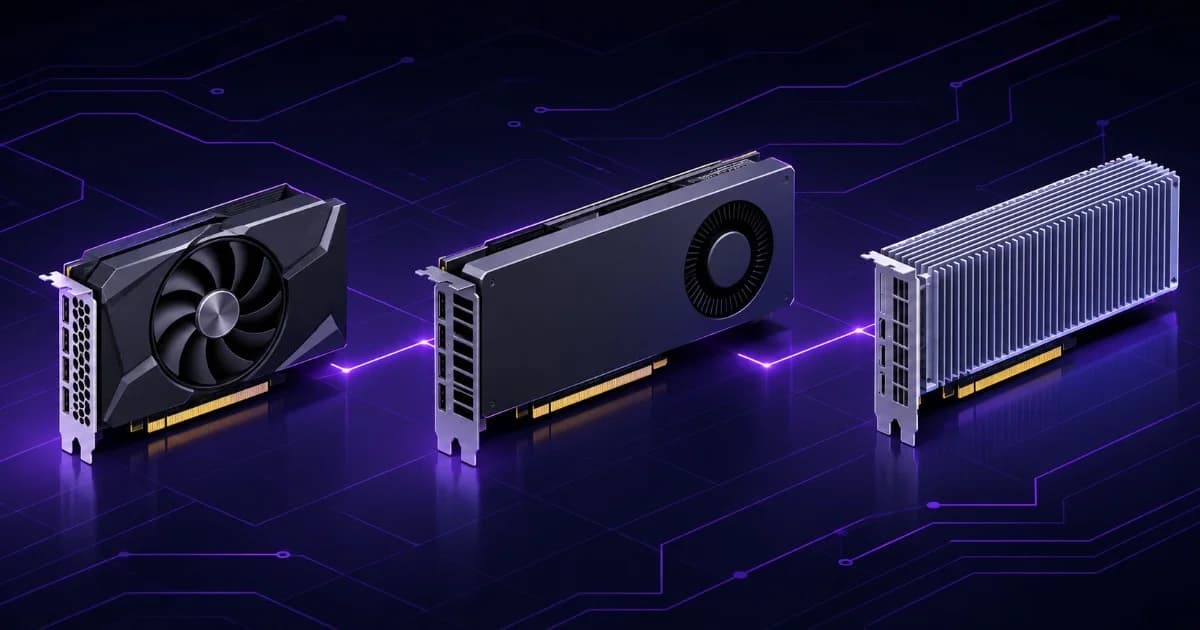
Short answer: choose the GPU family from your constraints, not from the name. GeForce RTX cards offer the most speed per rupee when your work fits in their VRAM and you do not need certified drivers or ECC memory. NVIDIA's professional RTX cards (sold as RTX A-series, later RTX Ada and now RTX PRO) add ECC memory, more VRAM per card, certified drivers and active cooling in a standard workstation. Data-center GPUs (formerly Tesla) add server features such as passive cooling for rack airflow, HBM memory on the A100 and virtual GPU support, and they are designed for servers, not desk-side towers.
This guide is for buyers searching for RTX vs RTX A-series, NVIDIA Tesla vs RTX or the best GPU for a workstation or server in India. Every specification below comes from NVIDIA's own product pages, which we read on 6 November 2026. Where a point is our advice, not a vendor fact, we say so. We do not quote GPU prices or benchmark scores, because prices change weekly and we have not run controlled benchmarks for this article.
What do GeForce RTX, RTX A-series and Tesla actually mean?
The names describe three product lines that NVIDIA has renamed over time, which is why listings are confusing.
| Name you will see | What it is | Current NVIDIA naming |
|---|---|---|
| GeForce RTX | Consumer cards for gaming and creators, such as the RTX 4090 and RTX 5090. | Still GeForce RTX. |
| Quadro, then RTX A-series | Cards for professional workstations. NVIDIA moved away from the Quadro name for new products from 2018 and dropped it with the Ampere-based RTX A6000 in October 2020. | NVIDIA's professional desktop page now lists RTX PRO Blackwell cards first, then Ada-generation cards (RTX 6000, 5000 and so on), then the Ampere RTX A-series (A6000, A5000, A4000 and others). |
| Tesla | NVIDIA's compute cards for servers and data centers. | NVIDIA retired the Tesla brand in May 2020. These are now called Data Center GPUs, for example the A100, A40, L40S and T4. |
So when a supplier says "RTX A6000" they mean a 2020-generation professional card, and when they say "Tesla" they usually mean any NVIDIA data-center compute card. Both names are still in common use in Indian listings, including on our own site, so ask for the exact model number.
How do the real cards compare on paper?
This table uses figures from the NVIDIA product pages linked at the end. "Cooling" is NVIDIA's Thermal or form-factor entry. We chose cards that match common buyer questions; it is not a list of what we stock.
| Card (family) | Memory | Max power per NVIDIA | Cooling and notes |
|---|---|---|---|
| GeForce RTX 4090 (consumer) | 24 GB GDDR6X | 450 W total graphics power; 850 W required system power | 3x PCIe 8-pin or a 450 W PCIe Gen 5 cable; NVLink: No. ECC is not mentioned on the page. |
| GeForce RTX 5090 (consumer) | 32 GB GDDR7 | 575 W total graphics power; 1,000 W required system power | 4x PCIe 8-pin cables or equivalent. ECC is not mentioned on the page. |
| RTX A6000 (professional, Ampere) | 48 GB GDDR6 with ECC | 300 W | Active cooling, dual slot, 2-way NVLink (96 GB combined). Drivers certified for 100+ applications per NVIDIA. |
| RTX 6000 Ada (professional, Ada) | 48 GB GDDR6 with ECC | 300 W | Active, dual slot. |
| RTX PRO 6000 Blackwell Workstation Edition | 96 GB GDDR7 with ECC | 600 W (Max-Q edition: 300 W) | Double flow-through cooler (Max-Q: active). |
| L40S (data center) | 48 GB GDDR6 with ECC | 350 W | Passive, dual slot, 16-pin power connector, vGPU software supported. |
| A40 (data center) | 48 GB GDDR6 with ECC | 300 W | Passive, dual slot, 8-pin CPU power connector, 2-way NVLink, vGPU supported. Display outputs are disabled by default for virtualization. |
| A100 80 GB (data center) | 80 GB HBM2e, 1,935 or 2,039 GB/s bandwidth | 300 W (PCIe) or 400 W (SXM) | PCIe version is dual-slot air-cooled or single-slot liquid-cooled; NVLink bridge for 2 GPUs; up to 7 MIG partitions. |
| T4 (data center) | 16 GB GDDR6, 320+ GB/s | 70 W | PCIe Gen3 x16; designed for inference and mainstream servers. |
Two readings matter. First, VRAM size is what stops large scenes and large models, so a card with less memory is only the better value if your job fits in it. Second, power draw and cooling vary a lot between families, which affects the power supply, the case and the room, not only the GPU.
Why does VRAM decide the choice more often than speed?
When a scene or model does not fit in VRAM, the job slows sharply or fails, so VRAM sets the size of the work you can do at all. GPU speed then sets how fast you do it. Our guides on how much VRAM you need for AI and rendering and on VRAM for local LLMs give worked sizing; here is the family-level pattern.
- 16 to 32 GB (consumer and entry professional): single-user design work, moderate scenes, smaller AI models, fine-tuning small models.
- 48 GB (A6000, RTX 6000 Ada, L40S, A40): large architecture or CAD scenes, 70-billion-parameter models quantized, heavier fine-tuning. Two A6000 cards can pool to 96 GB through NVLink, according to NVIDIA.
- 80 to 96 GB (A100 80 GB, RTX PRO 6000 Blackwell): very large models and datasets on one card.
ECC video memory is the other memory difference. NVIDIA lists ECC on the professional and data-center cards above. The RTX 4090 and RTX 5090 pages do not mention it. ECC detects and corrects single-bit memory errors, which matters most on long jobs where one flipped bit can spoil hours of work. Our ECC vs non-ECC memory guide explains the idea for system RAM, and the same logic applies to video memory.
What is the difference in drivers, certification and licensing?
Drivers are where the families differ in ways a spec table hides.
- Certified drivers. NVIDIA's RTX Enterprise driver program says each driver goes through hundreds of test plans and thousands of hours of testing, and that NVIDIA works with software and hardware partners to certify drivers for professional applications. On the A6000 page NVIDIA says the drivers are tuned across 100+ applications certified by independent software vendors. GeForce cards use Game Ready and Studio drivers instead.
- Vendor support. Some CAD, simulation and media vendors publish certified-hardware lists. If a vendor will only support certified hardware, that decides the question. Check the list for your exact software version.
- GeForce licence limit. NVIDIA's GeForce Software License says the GeForce or Titan software is licensed only for use on GeForce or Titan hardware you own and is not licensed for datacenter deployment. We are not lawyers; if you plan to run GeForce cards in a shared server or hosted service, read clause 2.8 of the licence yourself and ask NVIDIA or your counsel.
What changes with cooling: active versus passive?
A card with its own fans (active) is designed for a normal workstation case. A passive card has a heatsink and no fan, and depends on the server chassis to push air through it. NVIDIA lists the A40 and L40S as passive. The A100 PCIe is described as air-cooled or liquid-cooled depending on the version. Put a passive card in a tower with weak airflow and it will throttle or shut down to protect itself.
This is a main reason data-center cards are meant for servers. If you want one in a desk-side machine, the chassis, fans and airflow path have to be planned for it. Our thermal throttling guide covers the cooling basics.
How much power supply and what connectors do you need?
Add the GPU's rated power to the rest of the system and leave headroom. NVIDIA's pages give the numbers: the RTX 4090 lists 450 W graphics power and an 850 W system power supply, and the RTX 5090 lists 575 W and a 1,000 W system power supply. A single professional card at 300 W is easier on the power supply and the room than a 575 W consumer card. Multiply those figures for multi-GPU builds, and remember the electrical load also affects your UPS sizing. Connectors differ too: the L40S uses a 16-pin connector, the A40 an 8-pin CPU-style connector and the 4090 up to three PCIe 8-pin cables, so the power supply has to match the card, not just the wattage.
What about multi-GPU and NVLink?
NVLink lets two cards share memory and communicate faster than PCIe. NVIDIA's pages show the RTX 4090 without NVLink, the RTX A6000 and A40 with 2-way NVLink, and the A100 PCIe with an NVLink bridge for two GPUs. For AI, many frameworks can split work across several GPUs over PCIe without NVLink, but a single model that must fit in pooled memory is a case where NVLink-capable cards help. Rendering engines typically use each card independently, so VRAM per card still sets the scene size. Our shared GPU workstation guide and GPU server for AI training guide cover multi-GPU layouts.
Which GPU family fits which workload?
The table below is our advice, built from the vendor facts above. It is a starting point, not a certified recommendation for any software.
| Workload | Family we would look at first | Why |
|---|---|---|
| CAD, BIM, architecture visualization | Professional RTX if the vendor lists it or scenes exceed 24 GB; otherwise GeForce RTX | Certified drivers and ECC help in production offices; VRAM caps scene size. See our CAD workstation and architect PC guides. |
| 3D rendering and video | GeForce RTX for fit-in-VRAM scenes; 48 GB professional cards for heavy scenes | Render engines scale with VRAM per card. See video rendering workstations and the Blender workstation guide. |
| Game development | GeForce RTX or professional RTX | Depends on your engine and team; see the Unreal Engine 5 guide. |
| Local AI inference | GeForce RTX or professional RTX sized to the model | VRAM per model matters most. See VRAM for local LLMs. |
| AI training, fine-tuning, shared team use | 48 GB professional or data-center cards, multiple GPUs | Larger VRAM, ECC and NVLink on some models. See AI/ML workstations and best GPU for AI/ML. |
| Virtualization and shared graphics (VDI) | Data-center cards with vGPU support (A40, L40S) | NVIDIA lists vGPU software support on these cards. See virtualization servers. |
| 24x7 rack server compute | Data-center cards in a server chassis | Passive cooling and server airflow are designed together. |
| Simulation (ANSYS, FEA) | Only if the solver uses the GPU | Check the vendor first; see our ANSYS workstation guide. |
What mistakes do buyers make when choosing a GPU class?
- Buying on name, not VRAM. A 24 GB card cannot hold a 48 GB workload, however strong its name.
- Ignoring the licence and support terms. A vendor may only support certified cards, and GeForce driver licensing has a datacenter clause.
- Underbuilding the rest of the system. The GPU needs matching CPU, RAM and storage. Our CPU vs GPU balance guide and workstation cost guide cover where spending pays off.
- Forgetting power and cooling. A 575 W card or a passive card changes the case, power supply and airflow plan.
- Treating Tesla and A-series as current names. Ask for the exact model and check NVIDIA's current lineup before you compare prices.
- Buying a GPU when the work is CPU-bound. File serving, databases and many business apps need none. A GPU adds cost without speed there.
Cloud GPU or your own card?
If you only need a GPU for a short project, renting may cost less than buying. If you use it daily, own hardware usually wins over time, and data stays on your premises. Our on-prem AI server vs cloud GPU guide works through the comparison.
Which GPU families does ProStation Systems build with?
ProStation Systems builds new workstations and tower servers on Intel Xeon with ECC DDR4, and the GPU is one part of the configuration, not the whole machine. We support NVIDIA RTX, A-series and Tesla or data-center GPUs, and we confirm the exact card and its compatibility with your chosen chassis during the quote. We do not publish a fixed GPU price list. You tell us the software, the scene or model size and how many users share the machine, and we recommend a family and a card. Components are imported from manufacturers in China and Taiwan, inspected, assembled in-house in India and run through a burn-in test of 48 hours or more before shipping. Every build carries a 1-year hardware warranty, and extended cover is a paid option on the warranty page. Ask us in the quote how the GPU itself is covered. For the wider range of machines, see our workstations and servers and the workstation vs server guide.
Frequently Asked Questions
Q1. Is the RTX A6000 better than the RTX 4090?
It depends on what limits your work. Based on NVIDIA's own pages, the RTX A6000 has 48 GB of GDDR6 with ECC, a 300 W maximum power, an active cooler and 2-way NVLink, and NVIDIA says its drivers are certified by software vendors for more than 100 applications. The GeForce RTX 4090 has 24 GB of GDDR6X, 450 W total graphics power, an 850 W recommended system power supply and no NVLink. If your scene or model needs more than 24 GB, or you need certified drivers and ECC memory, the A6000 fits better. If your work fits in 24 GB and you do not need certification, the 4090 is a legitimate choice. We do not quote benchmark numbers because we have not run them.
Q2. Can I put a Tesla or data-center GPU in a tower workstation?
Sometimes, but check the cooling first. NVIDIA lists the L40S and A40 as passively cooled, which means the card has no fan and relies on airflow pushed through it by the chassis. A tower built for fan-cooled desktop cards may not move enough air for them. ProStation Systems says on its FAQ that it supports Tesla and data-center GPUs and confirms compatibility with the chosen chassis during the quote, so tell us the exact card before you order.
Q3. Is Tesla still an NVIDIA product line?
Not under that name. NVIDIA retired the Tesla brand in May 2020 and now calls these products Data Center GPUs, for example the A100. Many sellers and buyers still say 'Tesla' for any NVIDIA compute card, and NVIDIA's own T4 page still uses 'tesla-t4' in its web address. When you see Tesla in a listing, ask for the exact model name such as T4, A100 or L40S.
Q4. Do I need a professional GPU for CAD?
Not always. Many CAD and design tools run on GeForce cards. A professional card adds ECC video memory, drivers that NVIDIA certifies with software vendors, and in some cases more VRAM. Check the software vendor's own certified-hardware list for your exact version, and if it names RTX professional cards or requires certified drivers for support, follow that. For large assemblies or big BIM models, the extra VRAM on professional cards is usually the practical reason to choose them.
Q5. How much VRAM do I need for LLMs?
Enough to hold the model weights plus the context cache. As a rough guide from our local LLM post, a 32-billion-parameter model at Q4_K_M quantization is about 20 GB, which suits a 24 GB card with a short context, and a 70-billion-parameter model is about 43 GB, which needs a 48 GB card or two GPUs. The exact figure depends on the model, quantization and context length, so read the VRAM guide linked in this article and size from the model you actually plan to run.
Q6. Does ProStation Systems build multi-GPU workstations?
Yes. ProStation Systems lists 1 to 4 NVIDIA RTX or A-series GPUs in the AI/ML configurations on its site and builds multi-GPU workstations and servers to order. How many cards a chassis can take depends on slot spacing, cooling and power supply, so we confirm the exact count and card model in the quote rather than promising it up front.
Tell us your software and model size
Share the software you run, your largest scene or model, how many people use the machine and whether it sits at a desk or in a rack. ProStation Systems will recommend a GPU family and send an itemised quote. Builds ship in about 4 working days after you approve the configuration. Use the customize form or book a free consultation.
Sources (read 6 November 2026): NVIDIA GeForce RTX 4090, NVIDIA GeForce RTX 5090, NVIDIA RTX A6000, NVIDIA RTX PRO desktop GPU lineup, NVIDIA RTX Enterprise software, NVIDIA L40S, NVIDIA A40, NVIDIA A100, NVIDIA T4, NVIDIA GeForce Software License, Wikipedia: Nvidia Tesla and Wikipedia: Nvidia Quadro. Workload picks and mistakes are ProStation Systems' own advice, not vendor statements.